Imagine going to bed tonight and deliberately leaving the front door wide open to the street. You would never dream of doing that to your home. Yet, thousands of business owners effectively do the exact same thing online every single day.
When a site operates without encryption, it risks leaving visitor data exposed on an unlit digital porch. At IBP (The Internet Business Provider), we believe online safety should be a fundamental right for every entrepreneur. Protecting your digital assets is our primary mission.
An ssl certificate functions as the digital equivalent of a high-quality lock for a business. It creates a private connection between the visitor and the server to keep information private. This ssl technology changes the protocol to HTTPS, signaling that the connection is officially secure.
A website lacking this security measure loses customer trust and credibility very quickly. This guide explains why implementing an ssl certificate is no longer optional in the modern marketplace. We will help you navigate the process of protecting your brand and your customers from external threats.
Every modern website must prioritize these safety standards to remain competitive and credible. Using the ssl protocol ensures that sensitive information remains shielded from cybercriminals. Taking this step protects your reputation and builds a solid foundation for future growth.
Key Takeaways
- SSL provides essential encryption to protect sensitive customer information.
- HTTPS status acts as a trust signal for visitors and search engines.
- Unsecured platforms face significantly higher risks of data theft and hacking.
- Modern browsers often flag sites without certificates as “Not Secure.”
- Encryption is a fundamental requirement for maintaining professional credibility online.
The Digital Front Door: Understanding the Security Metaphor
Protecting a digital space starts with understanding that your website is essentially your home’s digital front door. Homeowners install heavy locks and alarm systems to guard their valuables, yet many leave their business site wide open to intruders. An ssl certificate acts as the modern deadbolt for your digital property.
Without high-level encryption, visitor data travels between the server and a browser in plain text. This vulnerability is like leaving your jewelry visible through an open window for any thief to see. Every website requires security to ensure that private data stays hidden from digital eavesdroppers.
“A sense of safety in our homes is paramount, and your visitors expect that same peace of mind when they interact with you online.”
| Home Feature | Digital Safeguard | Outcome |
|---|---|---|
| Deadbolt Lock | ssl Encryption | Prevents entry |
| Security Camera | Activity Monitoring | Deters bad actors |
| Safe Neighborhood | Secure ssl | Builds user trust |
When a guest sees a warning on their screen, they feel exposed and vulnerable. Just as you wouldn’t invite strangers to watch your private activities, you must protect your customer transactions from prying eyes. Proper digital protection transforms a vulnerable target into a fortified fortress.
What Is an SSL Certificate and How Does It Work?
Ever wonder what happens when you visit a secure site? It starts with an ssl certificate, which is a small data file hosted on a web server.
This digital file creates an encrypted tunnel for data to travel safely between a visitor’s browser and the website. When you install this file, it activates a secure connection that keeps information private.
Think of it as a specialized security guard that verifies every person entering a building. It ensures that the person is who they say they are before letting them pass through the door.
The Encryption Technology Behind SSL
This ssl technology uses complex cryptographic keys to protect your private information. Every certificate contains a public key and a private key that work together to scramble information.
This process turns sensitive data into unreadable code that only the intended recipient can decode. Encryption makes it virtually impossible for hackers to steal passwords or credit card numbers, even if they intercept the signal.
This “handshake” process happens automatically and invisibly on the server. Users enjoy a safe experience without needing any technical knowledge or taking extra steps.
From HTTP to HTTPS: What the “S” Really Means
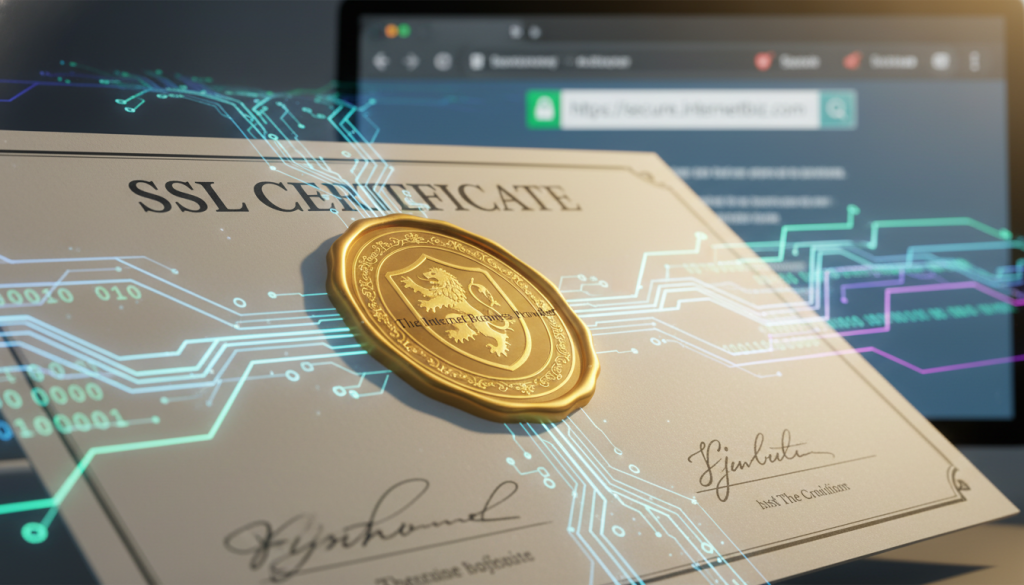
You can easily tell if a website uses certificates by checking the url in the address bar. The “S” in HTTPS stands for “secure,” indicating that the ssl protocol is active.
Standard HTTP sends information in plain text, which is dangerous on public networks. Switching to HTTPS ensures that every piece of information sent is protected from prying eyes.
The Role of the Browser Padlock Icon
The browser padlock icon serves as a universal trust symbol for internet users everywhere. It appears only when a website has a valid ssl certificate properly configured and active.
Modern browsers check these certificates against trusted authorities to ensure legitimacy. This verification prevents fraudulent websites from impersonating legitimate businesses or stealing identities.
If the certificate is expired or invalid, the software will warn the user immediately. Strong security indicators like these help customers feel confident while shopping or sharing personal details online.
| Security Feature | HTTP (Standard) | HTTPS (with SSL) |
|---|---|---|
| Data Privacy | Plain text (Vulnerable) | Encrypted (Secure) |
| Trust Indicator | “Not Secure” Warning | Padlock Icon |
| Identity Proof | None Provided | Verified Certificate |
| Search Benefit | Standard Ranking | SEO Boost |
Why Your Website Needs an SSL Certificate
Securing your online presence is no longer optional in an era where data breaches happen daily. Every business owner must prioritize the safety of their users to maintain a professional reputation. An ssl certificate provides the essential foundation for a trustworthy and high-performing website.
Protecting Sensitive Customer Information
The primary goal of this technology involves safeguarding sensitive information from malicious actors. This protection covers everything from login credentials to credit card numbers and other forms of personal information.
Without this layer of security, cybercriminals can easily intercept private details to commit identity theft or fraud. Secure connections prevent hackers from building complete identity profiles based on stolen user interactions.
- Safeguards login credentials and passwords.
- Protects financial transaction details.
- Prevents identity theft and account takeovers.
Encrypting Data Between Browser and Server
Encryption scrambles the data sent from a user’s browser to your destination server. This process makes the information unreadable to unauthorized parties, even if they manage to intercept the transmission.
A robust ssl setup ensures that only the intended recipient possesses the key to unlock and view the digital content. This creates a private tunnel where your customers can interact with your brand without fear of surveillance.
Meeting Legal and Compliance Requirements
Modern laws like GDPR mandate strict protection for any website collecting user data. Furthermore, businesses handling credit cards must follow PCI/DSS standards to operate legally.
These international rules require a valid ssl certificate to keep the certificate status compliant and avoid heavy financial penalties. Failing to meet these standards can result in legal exposure and significant loss of revenue.
“Encryption is the most effective way to achieve data security in a digital landscape.”
Implementing an ssl certificate isn’t just about following government rules. It is about taking ethical responsibility for those who trust you with their lives. A valid certificate shows your audience that you value their privacy above all else.
Modern privacy regulations define identifiers broadly, meaning even a simple contact form requires an ssl connection to stay safe. Taking these steps ensures you build long-term trust with every visitor.
| Security Standard | Requirement | Primary Purpose |
|---|---|---|
| GDPR | Mandatory | Protect user information |
| PCI/DSS | Mandatory | Transaction ssl safety |
| Search Engines | Highly Recommended | Valid certificate trust |
The Dangerous Consequences of Operating Without SSL
Choosing to remain on an unencrypted connection exposes your organization to immediate technical and financial dangers. Running a business without ssl creates a gap in your defense that leaves sensitive information completely exposed to the public web.
When you ignore these risks, you invite unwanted attention from malicious actors. Modern websites must prioritize safety to remain viable and competitive in today’s digital landscape.
The “Not Secure” Browser Warning That Destroys Trust
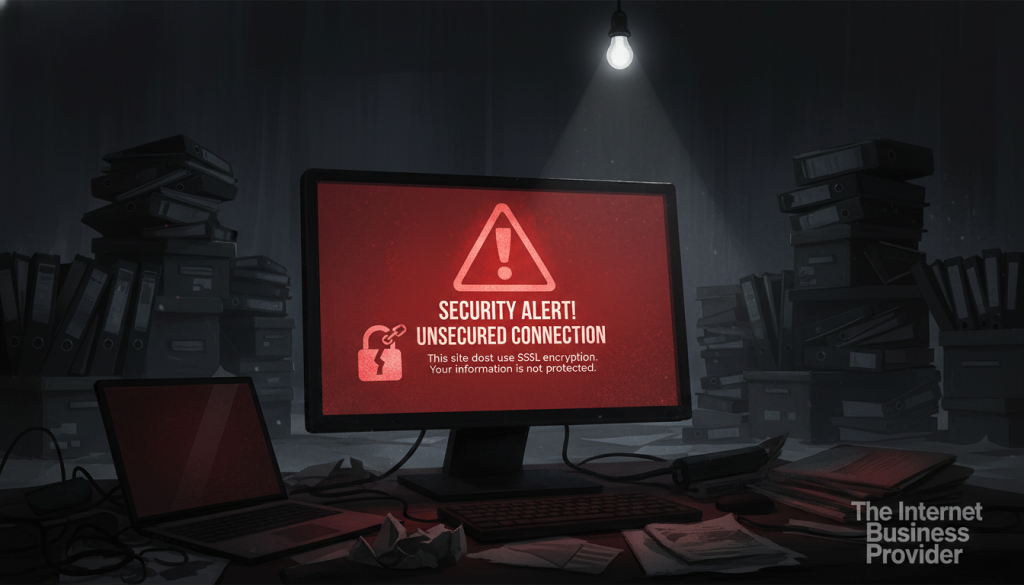
Since July 2018, the Google Chrome browser has flagged every unencrypted website with a prominent “Not Secure” notification. This visible warning serves as a massive red flag that instantly kills trust with potential clients before they see your content.
Other major platforms like Firefox and Safari have implemented similar aggressive policies. These warnings create significant friction, often requiring users to click through multiple screens to bypass security blocks.
Data Vulnerability and Man-in-the-Middle Attacks
Operating without ssl means your data travels in plain text across various networks. This allows hackers to perform Man-in-the-Middle attacks, where they intercept and read private communications between the server and the visitor.
Without a valid ssl certificate, any password or credit card number entered on your sites is vulnerable to theft. Criminals can even alter the information being sent without you or your visitors ever realizing a breach occurred.
Losing Customers Before They Even Enter Your Site
Most users will simply close their tabs when they see a security alert rather than risk their personal information. This leads to a cascading effect where negative first impressions result in abandoned shopping carts and low conversion rates on unencrypted sites.
Protecting your brand requires a professional ssl certificate to keep your pages accessible. If people feel unsafe, they will quickly take their business to a competitor who values their privacy and digital safety.
Legal Exposure and Potential Liability Issues
Failure to implement an ssl solution can lead to serious legal battles and regulatory penalties. If a data breach occurs and hackers steal identities, your business may be held liable for negligence in a court of law.
Many industry standards now require a specific certificate to meet basic compliance and insurance mandates. Facing heavy fines and permanent reputation damage is a steep price to pay for neglecting a simple ssl certificate setup.
The Powerful Business Benefits of SSL Certificates
Beyond technical safety, ssl certificates offer a massive competitive edge in today’s marketplace. Securing your company assets transforms your website from a simple page into a trusted portal. These certificates provide value that directly impacts your bottom line.
Google’s SEO Ranking Advantage for HTTPS Websites
Google explicitly favors secure sites in its search algorithms. Having an ssl certificate acts as a positive ranking signal that boosts your visibility. Without this protection, your site may struggle to appear on the first page of results.

Increased Conversion Rates Through Enhanced Customer Confidence
The padlock icon is a universal symbol of safety for every user. When customers see this sign, their trust in your business grows instantly. This confidence leads to more sales and helps your company grow.
Stronger Brand Credibility and Identity Authentication
A valid ssl certificate proves your identity and differentiates you from competitors. It shows the world that your site takes data privacy seriously. Professional ssl certificates signal that you are a legitimate entity worthy of trust.
Meeting PCI/DSS Standards for Payment Processing
To accept a credit card, you must follow strict security rules. Meeting PCI/DSS standards requires a functional ssl. Without an ssl certificate, you cannot safely process a credit or debit card.
Most processors will not work with a business that lacks these certificates. Modern search engines and payment portals expect your website to use an ssl to protect every site visitor. Modern certificates ensure your certificate status remains valid for all transactions.
Using ssl certificates and keeping the padlock active ensures your business remains competitive. All ssl certificates provide the foundation for secure growth. Every professional website should prioritize an ssl to maintain a high level of ssl certificate health.
| Business Benefit | Primary Advantage | Required Feature |
| :— | :— | :— |
| SEO Visibility | Improved Google rankings | HTTPS Protocol |
| User Conversion | Higher customer confidence | Browser Padlock |
| Data Security | Protected payment info | SSL Encryption |
| Legal Compliance | PCI/DSS adherence | SSL Certificate |
| Brand Authority | Verified business identity | Organization Validation |
Understanding the Different Types of SSL Certificates
Navigating the landscape of digital security means matching the right verification level to your specific website goals. Providers offer various ssl certificates to meet different privacy and authentication needs across the internet. Understanding these types helps you protect your web presence effectively while managing a specific domain name.
Domain Validation (DV) Certificates: Entry-Level Security
Domain validation (DV) options represent the quickest entry-level security available for site owners today. You only need to prove you control the specific domain to receive this certificate from an authority. This simple process makes it a favorite for personal projects and portfolio sites.
While these provide encryption and show the padlock icon, they do not verify the actual business identity. Because they lack deep authentication, experts do not recommend them for e-commerce platforms. They are best suited for informational blogs where users do not share sensitive financial data.
Organization Validation (OV) Certificates: Business-Level Trust
An organization validation ssl certificate provides a higher level of authentication for professional entities. Authorities conduct a thorough check of legal documents to confirm the business is legally registered and active. This type certificate displays the organization’s name and address within the details of the file.
Having verified details makes your site much more trustworthy to savvy visitors and potential clients. This option is a much better choice for corporate websites that collect basic user information. It strikes a professional balance between strong encryption and identity verification.
Extended Validation (EV) Certificates: Maximum Trust and Security
For those seeking the highest standard, extended validation (EV) is the premier choice for modern e-commerce. This type requires a rigorous background check to ensure maximum visitor confidence in the brand. Specialized agents vet the organization thoroughly before issuing these certificates to any company.
Large financial institutions and major retailers often use this level to prove their identity beyond any doubt. It serves as a powerful trust indicator that can help increase your conversion rates. Choosing this level shows that you take user safety and data privacy very seriously.
Wildcard and Unified Communications Certificates
You might also need specialized ssl solutions like Wildcard or UCC options to manage complex infrastructures. A Wildcard ssl certificate secures one main site and all its related subdomains under a single protection file. This is highly cost-effective for companies running many different service branches under one umbrella.
Unified Communications (UCC) certificates allow you to protect up to 250 different web properties with a single purchase. These are ideal for organizations managing multiple unique brand names or diverse service portals. They simplify the management process and ensure every corner of your digital estate stays safe.
| SSL Certificates Types | Best For | Validation Level |
|---|---|---|
| domain validation (DV) certificate | Personal Blogs | Low (Domain Ownership) |
| OV ssl certificate (type certificate) | Business Websites | Medium (Business Identity) |
| extended validation (EV) certificates | E-commerce & Finance | High (Full Background Check) |
| Wildcard/UCC ssl options | Multiple Domains/Subdomains | Varies by type selected |
How to Get and Install an SSL Certificate for Your Website

Moving from a standard connection to a secure one involves a few critical steps that any site owner can handle. Transitioning your website ensures that your visitors feel safe while browsing your content.
Step 1: Determine the Right SSL Certificate Type for Your Needs
First, determine the right ssl certificate type for your specific business goals. A simple blog might only need basic protection, while a large e-commerce platform requires higher trust. Evaluate how many certificates you need to cover different parts of your website.
If you run multiple subdomains, a wildcard option might be best. Always choose certificates that match the level of web security your users expect.
Step 2: Choose Between Your Hosting Provider or a Certificate Authority
Next, choose your provider. Almost all hosting companies offer an ssl certificate within their service plans. You can often get a free ssl or purchase one directly through their dashboard.
If you prefer a third party, you can buy these certificates from a dedicated authority. This choice depends on your budget and the level of identity validation you require.
Step 3: Generate Your Certificate Signing Request
To start the process, you must generate a Certificate Signing Request. This is a technical data file containing your company name and address. This file tells the server who you are and prepares the domain for encryption.
Step 4: Verify Your Domain Ownership
You must prove you own the site before receiving the certificate. You can verify the domain by uploading an HTTP file, adding a DNS record, or confirming via email. Once verified, the provider issues the official ssl certificate.
Step 5: Install and Activate Your SSL Certificate
Finally, install the ssl certificate on your host. Look at your browser address bar to confirm the connection is active. You should see a padlock and the HTTPS url instead of a plain address.
Make sure your traffic redirects properly to the new url. Consistency is key to maintaining a professional online presence.
Seamless SSL Implementation Solutions
Professional services like IBP offer seamless ssl certificate implementation to eliminate technical stress. They handle the name, site, and web configuration so you can focus on your business goals. Protecting customer information is easier when you use managed ssl and automated certificates.
Modern platforms make it possible to secure your ssl status in minutes. This ensures your bar always shows the padlock name to every visitor, building stronger trust instantly.
Conclusion
Operating a website without an ssl certificate is like leaving your front door wide open for hackers. This lack of security puts sensitive information like credit card numbers at high risk. You cannot afford to leave your digital assets exposed in such a dangerous environment.
A secure ssl connection builds trust by showing a padlock and a green bar in modern browsers. Over the years, this key element has defined the digital identity for any successful business. It signals to every visitor that their safety is your top priority.
Review a list of different types of certificates to find the right certificate for your site. Proper encryption protects user data and visitors while helping your company thrive on the web. These certificates are no longer optional; they are a fundamental requirement for growth.
Don’t leave your digital address vulnerable to prying eyes. Using ssl on your website secures your business and identity immediately. Get an ssl certificate to protect all users, sites, and websites today for a safer online future.