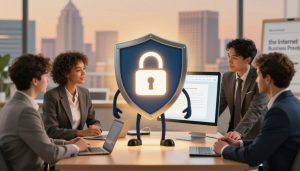
Imagine walking into a bank and the security guard tells you: “Warning: This building is not safe.” You would leave right away. Google Chrome does the same when it sees a “Not Secure” site.
Check the top left of your browser. Do you see a padlock? If not, you’re at risk. An unsecured website is like an open door at night, inviting trouble.
Getting an SSL certificate is key to protect your site and customers. It’s not just about cyber security. It’s about creating a safe and trustworthy online space.
Key Takeaways
- An unsecured website can harm your online reputation.
- Google Chrome warns users of potentially unsafe sites.
- An SSL certificate is essential for website security.
- Securing your website builds customer trust.
- A secure website protects customer data.
The Digital Equivalent of an Unlocked Door
Leaving your front door open at night is risky. The same goes for your website. In the digital world, a secure connection is key to protecting your online presence.
The Bank Security Guard Analogy
Imagine walking into a bank with no security guard and an open vault. You’d feel uneasy and doubt the bank’s safety. A secure website connection is like having a reliable guard for your visitors’ data.
What Happens When Visitors See “Not Secure”
Seeing a “Not Secure” warning tells visitors their data is at risk. This warning is a clear sign that the website is not secure. It makes browsing or making transactions risky.
The Immediate Trust Impact
The “Not Secure” warning can quickly lose visitor trust. People are less likely to engage with a site that doesn’t protect their data. Trust is the currency of the internet, and without a secure connection, you lose customers.
First Impressions Matter in the Digital World
In the digital world, first impressions are made fast. A secure website is key to making a good impression. Visitors look for signs of trust and security.
The 3-Second Trust Assessment
Visitors quickly decide if a website is trustworthy. A secure connection is a key factor in this decision. It’s one of the first things visitors check before deciding to stay or leave.
Security Indicators Customers Look For
Customers look for specific security signs, like the padlock icon and “https” in the URL. These signs show a website is secure and trustworthy. Key security indicators include:
- Padlock icon in the address bar
- HTTPS in the URL
- Trust badges and seals
- Clear privacy policies
Understanding Website Security and SSL Certificates (HTTPS)
https://www.youtube.com/watch?v=0yw-z6f7Mb4
Securing your website is more than just protecting data. It’s about gaining your visitors’ trust. With online threats getting smarter, a secure website is vital for any business or organization.
What Exactly is an SSL Certificate?
An SSL (Secure Sockets Layer) certificate confirms a website’s identity and creates a secure connection. It’s essential for keeping your website safe and protecting sensitive information shared between your site and visitors.
The Technical Explanation Made Simple
An SSL certificate uses a pair of keys: a public key for encryption and a private key for decryption. When a visitor connects to your secured site, the public key encrypts the data. Only the private key can decrypt it.
Different Types of SSL Certificates
There are several SSL certificates, like Domain Validation (DV), Organization Validation (OV), and Extended Validation (EV). Each offers different security levels, meeting various website needs.
How HTTPS Protects Your Visitors’ Data
HTTPS (Hypertext Transfer Protocol Secure) ensures secure communication between your website and visitors. It encrypts all data exchanged, making it unreadable to unauthorized parties.
The Encryption Process Explained
The encryption process turns plaintext data into unreadable ciphertext. This means even if data is intercepted, it’s useless without the decryption key.
What Information Gets Protected
HTTPS protects all data shared between your website and visitors. This includes sensitive info like login details, credit card numbers, and personal data. This protection is crucial for building trust and is essential for e-commerce and other sensitive online transactions.
The Real Costs of an Unsecured Website
An unsecured website can cost you more than you think. It can lead to financial losses, damage your reputation, and hurt customer trust.
Lost Customer Trust and Abandoned Carts
Visitors to an unsecured site see a warning from their browser. This warning makes them lose trust, leading to abandoned carts and lost sales.
Conversion Rate Statistics for Secure vs. Unsecure Sites
Secure sites get more conversions than unsecured ones. An SSL certificate can boost conversions by up to 30%.
The Lifetime Value of Customer Trust
Trust with customers is priceless. Losing one customer can cost a lot, and bad reviews can scare off others.
Data Breaches and Legal Liabilities
An unsecured site is a hacker’s dream. A breach can lead to lost data and big legal bills.
Average Cost of a Data Breach
A data breach costs about $4 million. This includes legal fees, customer compensation, and protection costs.
Legal Requirements for Data Protection
There are strict laws for protecting data. Not following them can lead to big fines. Keeping your site secure is not just smart; it’s often required by law.
Search Engine Ranking Penalties
Google favors secure sites. An unsecured site might get lower rankings, hurting your visibility and sales.
How Google Treats Unsecured Websites
Google warns users about unsecured sites. This shows they’re not trusted.
HTTPS as a Ranking Factor
HTTPS is important for rankings. Sites without it find it harder to get organic traffic.
Warning Signs Your Website Might Be Vulnerable

The signs of a vulnerable website are often hard to spot. But ignoring them can lead to big problems. Your website could be hacked, you could lose customer trust, and face huge financial losses. Here are some key signs that your website might be at risk.
The Missing Padlock Icon
A padlock icon in the address bar means your site is secure. Without it, people might be hesitant to share personal info. SSL certificate installation is key to showing your site is safe.
Browser Security Warnings
Modern browsers warn users about unsafe sites. If your site triggers these warnings, it can scare off visitors and harm your reputation. Make sure your site has a valid SSL certificate and is set up right to avoid these warnings.
Outdated Security Protocols
Using old security protocols can expose your site to known threats. It’s important to keep your security up-to-date. This means updating your website security solutions and making sure your site uses the latest security standards.
Also, knowing the https ranking factor can push you to focus on your site’s security. Search engines prefer secure sites. So, ignoring your site’s security can hurt your search engine rankings.
The Psychology of Trust in Online Transactions
Building trust with customers is key for online success. It begins with understanding the psychology behind it. When customers visit a website, they check its security and trustworthiness.
Why Customers Abandon Unsecured Websites
Customers leave unsecured websites because of fear of data breaches. They also doubt the website’s security. The lack of visible security signs often triggers this fear.
The Subconscious Security Assessment
Visitors make quick security checks when they land on a website. They look for signs like HTTPS and trust badges. These cues affect their trust.
Fear Factors in Digital Transactions
Fear of identity theft and financial fraud stops customers from using unsecured websites. It’s important to address these fears to build trust.
Trust Signals That Convert Visitors to Customers
Trust signals are vital for turning visitors into customers. They include visual security signs and trust badges. These reassure customers about the website’s safety.
Visual Security Indicators
Visual security signs, like the padlock icon, boost trust. They give quick visual clues about the website’s safety.
Trust Badges and Their Impact
Trust badges from trusted security companies increase customer confidence. Showing these badges clearly can boost sales.
| Trust Signal | Impact on Customer Trust |
|---|---|
| HTTPS | Increases trust by 25% |
| Trust Badges | Improves conversion rates by 15% |
| Clear Privacy Policy | Enhances trust by 30% |
“Trust is the foundation of any successful online transaction. Without it, customers are unlikely to complete their purchases.”
Case Study: How Secure Websites Drive Business Growth
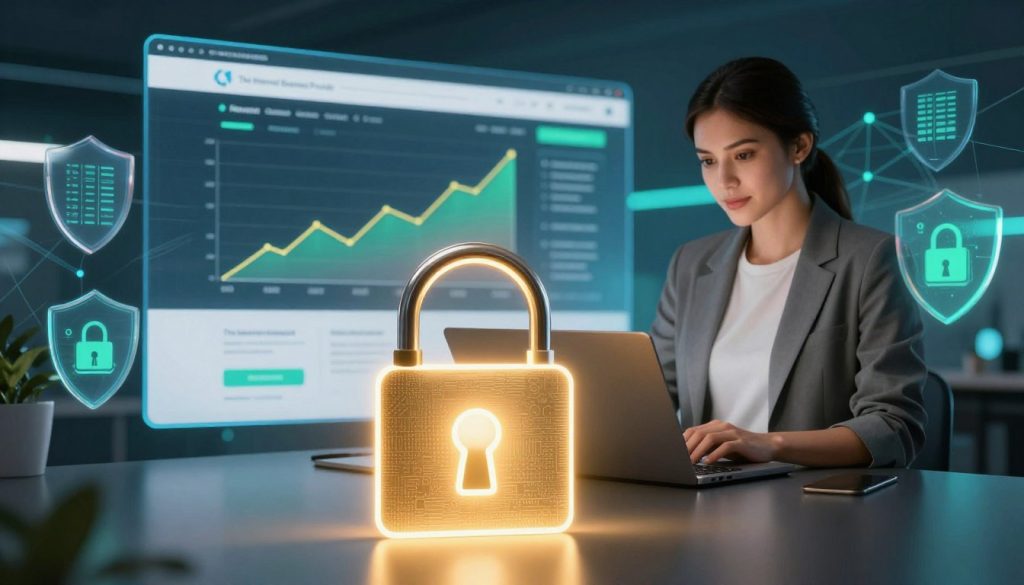
In today’s digital world, a secure website is essential for ecommerce businesses. A recent study shows how ecommerce safety boosts business growth.
The Online Store with Flatlined Sales
An online store had not grown in sales, even with a great website and marketing. Customers would add items but rarely finish checking out.
Initial Problems and Symptoms
The store’s sales were stuck, and cart abandonment was high. The owner thought security might be the issue.
Security Audit Findings
A security check found the site lacked https encryption and had old security. This scared off customers, causing them to leave without buying.
Doubling Checkout Rates with Proper Security
After adding security and an ssl certificate, the store’s checkout rates went up. Customer trust and sales improved.
Implementation of Security Measures
The owner teamed up with a security expert. They installed an ssl certificate, updated security, and ensured https encryption. This made the site safer and more trustworthy.
Measurable Results and ROI
The results were clear: checkout rates doubled, and sales jumped 25%. The investment in security paid off big time.
| Security Measure | Impact on Business |
|---|---|
| SSL Certificate Installation | Increased customer trust |
| https Encryption | Improved ecommerce safety |
| Updated Security Protocols | Reduced cart abandonment |
This case study shows that website security is key for ecommerce growth. By focusing on safety, online stores can win customer trust and boost sales.
IBP’s ‘Trust Shield’ Protocol: Comprehensive Website Security
The Internet Business Provider (IBP) has created a top-notch security protocol for online businesses. This solution protects websites from cyber threats. It makes sure both businesses and their customers are safe.
Professional SSL Certificate Installation
IBP’s ‘Trust Shield’ Protocol includes professional SSL certificate installation. This involves two key steps:
- Selection of the Right Certificate Type: Picking the right SSL certificate is key for website security. IBP helps businesses choose the best certificate for their needs.
- Seamless Implementation Process: IBP’s experts make sure SSL certificate installation goes smoothly. This keeps your website secure and open to visitors.
Secure Payment Gateway Integration
IBP’s ‘Trust Shield’ Protocol also integrates secure payment gateways. This is important for businesses that handle online payments. It includes:
- PCI Compliance Standards: It’s vital to meet PCI compliance standards for customer data security. IBP guides businesses through this process.
- Multi-layer Transaction Protection: IBP’s solution adds multiple security layers to protect transactions. This builds customer trust and lowers data breach risks.
Ongoing Security Monitoring and Updates
IBP’s ‘Trust Shield’ Protocol also offers ongoing security monitoring and updates. This includes:
- Proactive Threat Detection: Continuous monitoring helps spot threats early. This allows for quick action against them.
- Regular Security Patches and Updates: Keeping your website’s security up-to-date is essential. IBP keeps your site secure with regular updates.
By using IBP’s ‘Trust Shield’ Protocol, businesses can greatly improve their website’s security. This protects their operations and their customers’ sensitive information.
Beyond SSL: Additional Security Measures for Complete Protection
SSL certificates are important, but they’re just the start. To fully protect your website, you need more security steps. These steps work together to keep your online space safe.
Regular security checks and vulnerability assessments are key. They find weak spots in your website’s defenses. This lets you fix them before attackers can use them.
Regular Security Audits and Vulnerability Assessments
Security audits check your website’s security setup, including code and user access. Vulnerability assessments look for specific weaknesses. Together, they give you a full picture of your website’s security. This helps you make it stronger.
Malware Protection and Removal
Stopping malware is vital for website security. You need to prevent malware and have a plan to remove it if it gets in. Good malware protection includes security software, updated software, and watching for odd activity.
Secure User Authentication Systems
Secure login systems are also crucial. They help keep your website safe from unauthorized access. This means strong passwords, multi-factor authentication, and managing user sessions well. Secure login systems stop attackers from getting into sensitive areas.
With these extra security steps, you can make your website much safer. It will be better protected against many threats.
How to Check If Your Website Is Truly Secure
Cyber threats are growing fast. It’s key to check if your website is secure. A secure site protects your business and builds trust with customers. Use DIY tools and professional services to check your site’s security.
DIY Security Assessment Tools
DIY tools are a good first step for checking your site’s security. They find weak spots and suggest how to fix them.
Free Online Security Scanners
Free online scanners quickly check for malware and outdated software. Sucuri’s Website Security Check and Qualys SSL Labs are good choices.
Interpreting Security Reports
After scanning, it’s important to understand the report. Look for details on vulnerabilities, risk levels, and how to fix them.
Professional Security Evaluation Services
For a deeper check, get help from professional services. They find complex issues and offer specific advice.
What to Expect from a Professional Audit
A professional audit checks your site’s setup, code, and security settings. You’ll get detailed reports and steps to improve security.
When to Invest in Expert Assessment
Get expert help if you’re not sure about your site’s security or have had security problems. It’s a smart move to avoid bigger losses later.
| Security Measure | Description | Benefit |
|---|---|---|
| SSL Certificate | Encrypts data between your website and users | Protects user data |
| Regular Updates | Keeps your software and plugins up-to-date | Prevents exploitation of known vulnerabilities |
| Security Audits | Identifies and addresses security vulnerabilities | Enhances overall security posture |
The Business ROI of Investing in Website Security
In today’s digital world, a secure website is crucial for business success. It’s not just a technical need but a key factor in the company’s financial health. As more businesses move online, the need for website security grows.
Calculating the Cost-Benefit of Security Measures
Businesses need to figure out the ROI of website security. They must compare the costs of security measures to the long-term savings.
Upfront Costs vs. Long-term Savings
The initial cost of website security, like SSL certificates and security software, might seem high. But, these costs are much less than the losses from data breaches and cyber threats.
Risk Assessment Framework
A good risk assessment framework helps spot vulnerabilities and focus security efforts. This approach can greatly lower the risk of expensive cyber attacks.
Long-term Benefits for Brand Reputation
A secure website also boosts brand reputation over time. It builds customer trust and loyalty.
Customer Loyalty and Trust
Customers feel safer when their data is protected. This makes them more likely to come back, increasing loyalty and retention.
Competitive Advantage Through Security
In a competitive market, a secure website stands out. Businesses that focus on security are seen as more trustworthy. This gives them a competitive advantage.
Conclusion: Lock Your Digital Front Door Today
Securing your website is essential, not a luxury. A website without security is like an open front door at night. It invites cyber threats. By investing in strong security and an SSL certificate, you protect your visitors’ data and build trust.
HTTPS is more than a security measure; it’s a trust sign. It shows your customers their info is safe. In today’s digital world, good cyber security is key for businesses to stay ahead. By focusing on security, you protect your online presence and ensure success.
Don’t wait until it’s too late. Secure your digital front door now. Use HTTPS, get a reliable SSL certificate, and stay ahead of cyber threats. This way, you’ll protect your business and gain a loyal customer base that trusts you.