Picture this: your company spends thousands on design, then launches a fresh campaign. Traffic arrives, yet sales stall because key paths lead nowhere. A digital storefront can look polished while quietly losing buyers.
A broken link points to content that no longer exists or cannot load. The most common result is a 404 Not Found response. CMS Support at the University of Wyoming identifies this error as one of the most widespread issues across CMS pages.
An outdated product URL, dead menu item, or weak call to action can send a ready prospect straight to the back button. These dead ends hurt trust, interrupt the visitor journey, and may weaken search performance. They also give competitors a chance to capture demand.
This guide shows how to find broken paths, read status codes, choose redirect options, and improve navigation. You will also learn how to repair revenue leaks, build a useful 404 page, and keep your site healthy through regular maintenance.
Key Takeaways
- Dead paths can turn campaign traffic into lost sales.
- A 404 response often signals unavailable content.
- Navigation errors can harm trust and search visibility.
- Audits reveal problems before customers report them.
- Redirects and helpful error pages guide visitors forward.
Why Broken Links Create a Digital Ghost Town
A polished digital storefront can feel empty when key paths lead nowhere. Semrush reports that 42.5% of sites have broken internal links. This pattern often follows redesigns, content moves, and changing campaigns, not simple editorial carelessness.
How Dead Ends Erode Brand Trust and User Experience
Most visitors press the back button instead of searching for a workaround. A dead pricing page or product page can make a business seem abandoned or unprofessional. That error damages trust before a sales conversation starts.
How Broken Links Drain Conversions and Ad Spend
A broken link can stop a buyer during checkout or send a campaign click to a 404 page. Paid traffic from Google Ads then produces little value. Repeated exits raise bounce behavior and weaken the user experience.
The University of Wyoming notes that search engines may rank pages less often when visitors leave through broken links. Lost internal authority also limits discovery and consumes crawl budget. Strong SEO needs clear paths, useful pages, and reliable analytics.
| Problem | Business impact | Likely response |
|---|---|---|
| 404 pricing page | Lost purchase intent | Leave or choose a rival |
| Campaign destination error | Wasted ad spend | Record a failed visit |
| Weak internal path | Lower page discovery | Search engines crawl less |
Common Causes of Broken Links on a Website
Digital decay often starts with a small content change. A redesign, file move, or typo can turn a useful path into a dead end. Knowing the source makes fixing broken paths faster and more precise.
Deleted, Renamed, and Moved Pages
A CMS migration may change folder names, permalinks, or page addresses. Older references then point to a location that no longer exists. Removing an outdated product page creates the same result unless its references receive a clear replacement.
URL Typos, Structural Changes, and Case Sensitivity
A misspelled URL, missing protocol, or incorrect folder path can stop a server from finding its target. Some systems also treat uppercase and lowercase characters as different. A small case error may therefore trigger a 404 error.
External Resources, Expired Domains, and Server Issues
Outbound references fail when a publisher deletes content, changes domains, or reorganizes its URLs. WyoCast, for example, deletes recordings after 18 months. That time limit needs regular review.
Images, downloads, and other assets can fail separately from the page that contains them. Watch for missing media and failed downloads when you identify broken references.
| Cause | What changes | Result |
|---|---|---|
| Redesign or CMS move | Folder or permalink changes | Old internal path fails |
| Typographical error | Wrong URL or case | Server cannot locate content |
| External resource change | Domain or file disappears | Outbound reference fails |
Understand 404 Errors and Other Link Status Codes
A hyperlink and its server response are not the same thing. A broken link sends visitors toward a missing target. The server then returns 404 Not Found, often called a 404 error. This is the primary signal for missing or mistyped pages, files, or URLs.
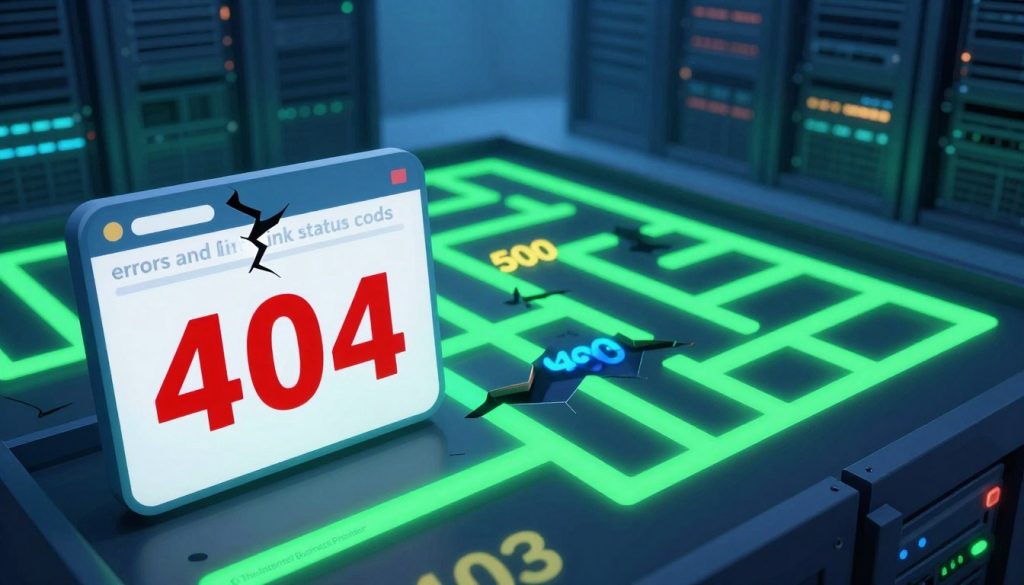
Other codes need careful review. A 403 Forbidden response may result from permissions or a missing index file. A 401 Unauthorized response usually marks password-protected content, not a permanently dead resource. A 301 Moved Permanently supports a lasting relocation, while 410 Gone confirms intentional removal.
Additional errors include 400 Bad Request, 408 Request Timeout, 500 Internal Server Error, 502 Bad Gateway, 503 Service Unavailable, and 504 Gateway Timeout. These may reflect syntax, slow networks, application faults, gateway trouble, or temporary server outages.
Before removing a report entry, click the destination manually. Check protected resources, external settings, and host-server health. Tools such as Search Console can flag crawl errors, yet a valid resource may deserve exclusion after verification.
| Code | Meaning | Recommended review |
|---|---|---|
| 404 | Resource missing | Check the URL or replacement |
| 403 | Access refused | Review permissions and index files |
| 401 | Authentication required | Confirm protected content |
| 301 / 410 | Moved / intentionally removed | Choose relocation or removal |
How to Find Broken Links on Your Website
Reliable audits turn hidden navigation issues into a clear action list. Start with Google Search Console, then add a full crawl for stronger coverage. This two-step process supports better search visibility and user experience.
Use Google Search Console, Screaming Frog, and Site Audit Tools
Open the Indexing or Pages report in Google Search Console. Filter for 404 results and export each URL. Remember, this report shows only errors Googlebot tried to reach. It should support, not replace, a complete audit.
- Screaming Frog scans internal pages and returns status codes. Its free edition covers up to 500 URLs.
- University of Wyoming’s weekly report checks CMS paths through a server script. Editors away from campus need WyoSecure VPN access.
- Lucky Orange Discovery reveals failed URLs, anchor text, and possible causes.
- Use W3C Link Checker, Check My Links, wget, curl, Xenu’s Link Sleuth, WordPress plugins, Ahrefs, or Semrush Site Audit.
Manually test the homepage, pricing page, and top-traffic articles. Review analytics for exits, then record each broken link, source page, URL, and priority.
| Method | Best use | Key value |
|---|---|---|
| Search Console | Googlebot discoveries | Export crawl errors |
| Screaming Frog | Internal crawl | Scans up to 500 URLs free |
| Manual review | High-value pages | Confirms real user impact |
How to Fix Broken Links on Website and Recover Lost Revenue
Revenue recovery starts with a clear choice for every failed path. Review the destination, its purpose, and the visitor’s next step before changing anything.
Update, Redirect, or Remove Each Broken Link
Update the reference when the original content still exists. If the resource moved, send its old URL through a 301 redirect to the closest new page. For a resource that no longer exists, remove the reference or replace it with a useful alternative.
For outbound paths, the Wayback Machine may reveal an archived source. Avoid redirect chains because they slow load time, reduce authority, and may fail when an intermediate address expires. After each repair, use Screaming Frog or similar tools to confirm a 200 response.
Prioritize High-Traffic Pages and Conversion Paths
Sort the repair list by traffic from the source page. Give priority to the homepage, paid landing pages, product pages, pricing paths, and purchase flows. For example, redirecting /plans to /pricing can recover visitors who would otherwise meet a 404 error.
Review analytics and session recordings after deployment. These checks show whether the new destination supports the visitor’s goal and improves the customer experience.
Prevent Future Broken Links With Ongoing Website Maintenance
Healthy navigation depends upon a steady routine, not a one-time review. Create a calendar that helps teams find broken paths before visitors or search engines do.
“Prevention turns small content issues into simple maintenance tasks.”
Review the CMS report each week. Run broken-link tools each quarter for most sites, or each month for ecommerce stores with frequent product changes. Repeat the check after a migration, CMS change, URL restructure, content merger, or product retirement.
Use CMS Page Check before publication. It can identify broken staging and live hyperlinks while editors can still correct them. Modern Campus dependency tags also preserve page and file relationships after a rename or move. Republish the content so subscribed references update automatically.
Use relative URLs for internal resources. Assign an owner to every external reference, then verify protected or time-limited assets. Record results, actions, and dates in one report. This process helps teams fix errors before they affect trust, traffic, or sales.
| Review stage | Recommended timing | Main purpose |
|---|---|---|
| CMS report | Weekly | Catch new path issues |
| Ecommerce scan | Monthly | Review changing product pages |
| General audit | Quarterly | Protect search visibility |
| Change review | After major updates | Confirm redirects and references |
Conclusion
Broken links are more than technical errors; they are business risks. Each unavailable destination can weaken credibility, user experience, search visibility, ad efficiency, and revenue. A reliable site helps visitors reach a clear next step.
Use Google Search Console with crawler tools and behavioral analytics. This mix finds technical failures and shows where real visitors struggle. Review each link from high-value page paths to guide smart priorities.
For each broken link, update the URL when content moved. Redirect it when a new destination fits. Replace or remove the reference when the resource no longer exists. This keeps the search engine and visitors aligned.
Schedule an audit after major changes and at least quarterly. These habits help search engines trust the website and prevent small errors from spreading. University of Wyoming CMS users can contact CMS Web Help at webhelp@uwyo.edu or 1000 E. University Ave, Laramie, WY 82071.