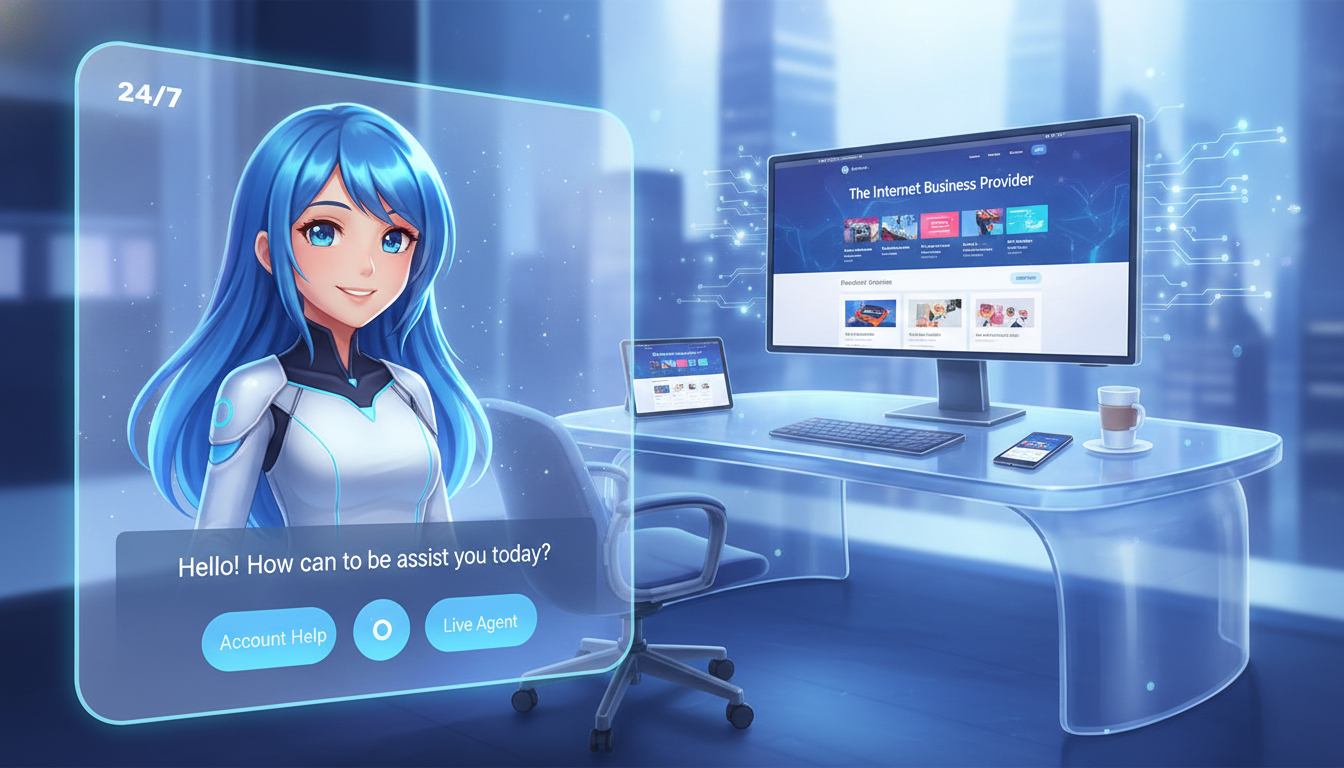
Imagine an employee who never sleeps, takes no vacation, and answers every customer question in seconds. This tireless team member can serve hundreds of people at once, even when your staff has gone home.
That role may already be within reach. An AI chatbot for business website can respond at midnight, guide shoppers, and keep prospects moving toward a sale. One small business owner lost a $3,000 order after missing a late-night message about product availability. The customer chose a competitor instead.
Modern chatbots use natural language processing and machine learning to manage questions around the clock. They can qualify leads, update CRMs, book meetings, and trigger key workflows. This gives businesses a faster way to support visitors without adding another shift.
A digital brochure is no longer enough. A strong online presence should act as an active customer and sales engine. This guide explores support, lead capture, social messaging, pricing, scale, and integrations so you can choose a solution that fits your traffic, customer needs, sales process, and team capacity.
Key Takeaways
- After-hours replies can protect valuable sales opportunities.
- Modern tools can support customers and qualify leads at once.
- Automation may update records, schedule calls, and start workflows.
- The right platform should match traffic levels and team capacity.
- Pricing matters, but fit and useful integrations matter more.
Why an AI Chatbot for Business Website Matters Around the Clock
Online demand does not follow a nine-to-five schedule. When a visitor needs help at midnight, silence can send that prospect straight to a competitor. A small business owner learned this the hard way after missing an availability question and losing a $3,000 sale before morning.
Many customers expect quick answers, even when a small team cannot fund overnight customer support shifts. A chatbot can respond to customer questions about stock, pricing, shipping, policies, and product details. It can also manage several conversations at once, giving staff more time for complex cases.
The Cost of Missed After-Hours Customer Questions
One missed reply can erase a month of sales progress. Delayed answers often create doubt, while a clear response keeps the buying process moving.
How Instant Answers Protect Sales Opportunities
Modern chatbots use natural language processing to understand intent, not just match scripted phrases. That creates a smoother support experience than an old “press 1 for sales” menu. With a clear plan, automated answers handle routine needs and route urgent issues to a human.
Round-the-clock conversations protect sales while preserving human time.
What Modern AI Chatbots Do for Businesses
A visitor’s intent can shift within a single message. Modern tools read that shift, connect it with prior details, and respond with useful guidance. This makes support feel more natural than a fixed menu of scripted replies.
Natural Language Processing Beyond Scripted Bots
Older systems matched exact words. Today’s chatbot uses natural language processing and machine learning to detect intent, tone, and context. It can clarify vague questions, personalize a reply, and improve through reviewed interactions.
Lindy shows how an agent can connect Slack, Notion, Gmail, Salesforce, and HubSpot. ChatGPT Business and Enterprise plans can link company knowledge through Google Drive, SharePoint, GitHub, and Dropbox. Perplexity can add cited research to internal data.
Dynamic FAQs and Context-Aware Conversations
A knowledge system can draw from a website, PDFs, help centers, and support tickets. It then creates accurate answers instead of repeating a static FAQ. The customer can continue the same conversation without starting over.
Reliable data remains essential. Clear permissions, human review, and escalation rules help automation handle routine requests while an agent manages sensitive or complex cases.
| Capability | Older Rule-Based Bot | Modern System |
|---|---|---|
| Input | Exact keywords | Intent and context |
| Knowledge | Fixed scripts | Connected company sources |
| Escalation | Basic menu path | Human handoff with history |
How AI Chatbots Improve Customer Service
Reliable service begins with trusted information, not guesswork. A well-trained chatbot can draw from an approved website, help center, and policy library. This creates consistent answers to common customer questions about orders, returns, billing, and delivery.
“The best automated reply is clear, useful, and easy to hand off when needed.”
Intercom Fin uses Help Center content to create contextual replies and handle many tier-one requests. Its AI Copilot can suggest replies, add ticket details, and prompt follow-up questions. ProProfs Chat also tracks visitors in real time, helping an agent see when personal attention matters.
Accurate Answers From Your Website and Knowledge Base
Teams should review source content each month. Clear policies help chatbots give accurate answers and reduce repeated work. A help desk also gives staff a record of each conversation.
Seamless Handoffs to Live Chat and Human Agents
Complex, sensitive, or high-value cases need human judgment. Zendesk brings email, chat, social, and phone records into one workspace. HelpJet can pass an unanswered request to a team member. This blend of automation and live chat protects customer support quality while giving agents more time to focus on people.
Automated Lead Qualification for Faster Sales Follow-Up
Every new inquiry carries clues about value, urgency, and fit. A sales chatbot can act as a frontline representative, gather key data, and keep promising conversations moving before an agent steps in.
Smart automation turns casual chat into a clear sales path. It can ask about a name, email address, company size, budget, timeline, and buying intent. ManyChat’s AI Step captures names and emails through natural language. HubSpot can answer questions, book meetings, and update contact records without separate API connections.
Collecting Contact Details and Buying Intent
Landbot creates visual lead forms and conversational journeys, with paid plans starting at $40 per month. These tools give businesses structured details instead of scattered notes. They also reduce response time while preserving a natural chat experience.
Routing High-Value Prospects to the Right Team
Lead scores can send high-intent contacts to sales and guide low-intent visitors toward helpful content. Drift starts near $2,500 monthly, making it a stronger fit for B2B companies with larger deal values. Salesloft reviews activity, CRM data, and past conversations to refine routing. The result is cleaner workflows, faster follow-up, and better use of team time.
CRM Updates and Workflow Automation Without Manual Entry
A connected conversation can move from a website visit to a complete sales record in seconds. The chatbot can capture contact details, score intent, book a meeting, and open a support ticket. It can also send an email alert when a high-value lead needs quick attention.
Connecting Conversations With Sales and Help Desk Systems
HubSpot shows the value of native synchronization. Chat data flows into its CRM without Zapier or separate API connections. Teams gain one place to review questions, contact history, tasks, and next steps.
Lindy connects Slack, Notion, Gmail, Salesforce, and HubSpot. One agent can gather records, share updates, and coordinate workflows across several systems. Tidio’s Lyro Connect also links Zendesk, HubSpot, and Salesforce.
Good automation reduces duplicate entry and missed follow-ups. Still, each business should review permissions, field mapping, and error alerts before launch. Human approval adds protection when a workflow changes records, sends a message, or assigns work to agents.
Clear rules preserve customer context as conversations move between teams. This approach saves time while keeping people in control of important decisions.
AI Chatbot Features to Compare Before Choosing a Platform
Feature lists can look alike, yet daily results often differ. Compare each platform by data access, channel coverage, safety controls, and reporting depth. The best fit supports clear growth goals without adding risky complexity.
Knowledge Retrieval, Analytics, and Conversation History
Check whether the chatbot cites approved sources and remembers past conversations. HelpJet reports chat volume, satisfaction, resolution rate, and repeated questions. These measures reveal gaps in help content and show where customers need better guidance.
Website, Email, Social Media, and Facebook Messenger Support
Review every channel used by your audience. Freshchat connects WhatsApp, Messenger, Apple Business Chat, mobile, and web. Heyy carries history across Instagram, WhatsApp, Facebook Messenger, website chat, and email. This creates one customer view across social media and live chat.
Security, Permissions, and Human-in-the-Loop Controls
Ask how tools protect data and limit agent actions. ChatGPT Business and Enterprise plans include encryption, SOC 2 Type 2, HIPAA with BAAs, CCPA compliance, and no training on customer data. Lindy requests approval before refunds, record changes, messages, or risky workflows.
- Check source citations and help desk links.
- Test escalation paths with real questions.
- Confirm permissions, audit logs, and software integrations.
Best AI Chatbot Platforms for Website Customer Support
Choosing the right platform depends on answer quality, handoff speed, source content, and pricing. The strongest tools combine self-service replies with live chat, clear reporting, and simple setup.
Intercom for AI Support, Live Chat, and Help Centers
Intercom combines Fin AI Agent, AI Copilot, Help Center content, and live chat. It also connects WhatsApp, Facebook Messenger, SMS, and email. Pricing starts at $39 per seat each month. A 14-day free trial is available, and no credit card is required.
Tidio for Small Business and E-Commerce Conversations
Tidio suits growing stores that need simple tools. Its free plan includes visual flows, while Starter pricing begins at $29 monthly. Lyro starts at $39 monthly and can answer routine questions, route conversations, and assist agents.
Zendesk AI for Scalable Customer Service Operations
Zendesk supports email, chat, social channels, phone, Help Center content, automation, and an Agent Workspace. Pricing starts at $55 per agent each month. Its 14-day trial needs no card required, making evaluation easier for larger teams.
“The best platform makes routine answers simple and human handoffs timely.”
HelpJet, ChatBot, and ProProfs Chat offer lower-cost paths. They support WordPress, drag-and-drop setup, trained answers, visitor tracking, and smart routing. Compare basic FAQs with advanced resolution, analytics, and team workflows.
| Platform | Best Fit | Starting Price | Trial or Free Option |
|---|---|---|---|
| Intercom | Help Centers and agent assistance | $39 per seat monthly | 14-day free trial |
| Tidio | E-commerce conversations | $29 monthly | Free plan |
| Zendesk | Scalable customer service | $55 per agent monthly | 14-day trial |
| HelpJet | WordPress and lean teams | $29 monthly Pro | Free forever plan |
Best Chatbots for Lead Generation and Sales Conversations
The right sales assistant turns interest into measurable action. Compare lead capture, qualification rules, CRM links, and meeting tools before reviewing pricing. A connected process gives sales teams better timing and clearer revenue data.
HubSpot for Native CRM Lead Management
HubSpot suits organizations already using its CRM. Its chatbot connects conversations, contact records, email follow-up, and meeting booking in one platform. A free plan is available, while paid access starts at $20 per month. This setup reduces manual entry and keeps customer questions close to sales activity.
Landbot for Visual Lead Capture Experiences
Landbot supports product finders, quizzes, assessments, and interactive campaigns. Its visual builder helps teams create guided chat journeys without advanced software skills. A free option is available, with paid plans starting at $40 per month.
Salesloft and Drift for Revenue-Focused Qualification
Drift starts near $2,500 monthly and targets B2B teams that need routing, qualification, and meeting booking. One valuable deal may justify that cost. Salesloft, estimated at $125–$165 per user monthly, combines CRM data, live chat, past conversations, and sales engagement. Tools like ManyChat can collect names and email addresses through natural language.
Choose platforms like these by sales value, team size, workflows, and expected return—not by feature count alone.
Best Chatbots for Social Media and Omnichannel Messaging
Social channels turn casual browsing into direct customer conversations. The best tools connect comments, direct messages, promotions, and lead capture in one workflow. They can also move a prospect from a public post to a private chat without delay.

ManyChat and Chatfuel for Instagram and Facebook
ManyChat handles Instagram comments, direct messages, broadcasts, automated sequences, and Facebook Messenger campaigns. Its free plan covers basic automation for up to 1,000 contacts. Pro pricing starts at $15 per month and adds broader messaging features across Instagram, WhatsApp, and other apps.
Chatfuel supports Messenger, Facebook, Instagram, and WhatsApp. Its comment-to-message flows can confirm giveaways or send product information after a keyword appears. With more than 1.3 billion users, Facebook Messenger gives businesses a large audience for promotions and sales.
GetGabs offers a focused WhatsApp option. Plans start at $5 monthly and support lead capture, abandoned-cart reminders, order updates, drip campaigns, and broadcasts. Review each platform’s features, live chat tools, email links, and website connection before choosing one.
Social messaging works best when automation feels timely, useful, and personal.
Free Plans, Paid Plans, Trials, and Credit Card Requirements
Pricing looks simple until contact limits, message volume, and user seats change the total. Start by checking what each plan includes, when billing begins, and whether cancellation stays simple. A useful test should include real customer questions, not only sample prompts.
What Free Plans Typically Include
A free plan may cover basic chat, limited contacts, or a small number of monthly tasks. Lindy includes 40 tasks and 400 credits each month. ManyChat supports 1,000 contacts, while Quriobot allows 500 chats monthly. Tidio and HubSpot also offer entry-level access.
Intercom, ChatBot, and Zendesk provide a free trial without a credit card required. Their trial terms differ, so confirm the end date and cancellation steps. A card required notice should never surprise your team.
When Paid Plans and Additional Agents Become Necessary
Paid plans make sense when teams need more volume, CRM links, analytics, or extra agents. Lindy Pro costs $49 monthly, Tidio starts at $29, ManyChat at $15, and Zendesk at $55 per agent monthly. ChatBot starts at $25 monthly, while HubSpot paid tools begin at $20.
Review pricing, data limits, and cancellation rules before choosing a platform. Confirm whether a credit card is required, then compare support needs with expected value.
Scalability and Cost Efficiency Compared With Human Staffing
Growth becomes easier when one platform can manage demand without adding another shift. A chatbot handles many conversations at once, so customers do not wait for the next available agent. This creates steady customer support around the clock.
Handling Unlimited Concurrent Conversations
Automated chat can answer common questions while your team handles complex cases. YourGPT starts at $59 per month, offers a seven-day trial, and reports resolution rates up to 80%. Treat that figure as a possible benchmark, not a promise. Ada reports handling more than 70% of high-volume e-commerce conversations without human help.
Reducing Shifts, Overhead, and Onboarding Costs
Software can cost less than recruiting, scheduling, training, and supervising extra agents. Tidio has a free plan with limited automated replies; paid plans expand capacity. Compare pricing each month against saved labor time.
Lower overhead lets teams focus on high-ticket sales, sensitive cases, and decisions that need judgment. The best plan includes useful features, clear handoffs, and reporting that proves customer service value.
How to Launch an AI Chatbot on Your Website
A focused rollout helps teams get started without disrupting customer support. Use a seven-day plan, clear data rules, and a small test group. Start with real questions, then build automation around proven needs.

Prepare FAQs, Policies, and Business Data
On day one, record every customer question across 24 hours. On day two, select the 10 most common topics. Approve answers about products, pricing, shipping, stock, returns, and policies.
Days three through five cover platform choice, channel links, CRM fields, sales routing, and escalation rules. HelpJet setup took about five minutes in testing. Intercom offers setup guides and a 14-day trial, which can help teams review tools before a monthly commitment.
Test Answers, Escalation Rules, and CRM Workflows
On day six, agents should test clear, incorrect, and vague requests. Review handoffs, records, alerts, and live chat paths. On day seven, launch with limited traffic and watch unresolved conversations, feedback, answer quality, and workflow errors.
A controlled launch gives teams time to refine the plan before wider use.
| Day | Primary Task | Launch Check |
|---|---|---|
| 1–2 | Collect questions and approve replies | Top 10 topics covered |
| 3–5 | Connect channels and workflows | CRM routing works |
| 6–7 | Test, monitor, and release | Handoffs and answers pass review |
The Internet Business Provider as Your AI Chatbot Integration Partner
Successful deployment needs more than a code snippet. The Internet Business Provider acts as a technical partner, linking the chatbot with your website, CRM, help desk, email, calendar, and key workflows. This approach gives teams one clear plan, reliable data, and fewer manual tasks.
Seamless Website, CRM, and Workflow Integration
Integration planning maps permissions, lead routing, live-agent escalation, social media, analytics, and system reliability. Tools like Lindy connect Salesforce, HubSpot, Gmail, Slack, and Notion. Its approval steps keep an agent involved when records or messages need review.
Tidio’s Lyro Connect links Zendesk, HubSpot, and Salesforce. Chatbase supports WordPress, Shopify, WhatsApp, Zendesk, Slack, Stripe, and Calendly. YourGPT extends conversations across chat, email, phone, and other channels.
Ongoing Optimization for Better Answers and Conversions
After launch, the team reviews unresolved questions, incorrect replies, handoff quality, and sales conversions each month. New data can improve knowledge sources, automation rules, and customer journeys. Regular testing turns initial setup into lasting customer support value.
Start with a focused plan, then refine it as real conversations reveal new needs.
Conclusion
Round-the-clock conversations help a customer get useful answers when staff are offline. This steady support can protect sales, qualify interest, and keep urgent needs moving.
The strongest chatbot tools connect trusted knowledge with lead capture, CRM updates, live-agent handoffs, analytics, and workflow automation. They scale with demand while your team focuses on complex requests.
Compare channels, source quality, security, contact volume, and pricing before you choose. Check free and paid plans, then test each tool with real questions.
Use a seven-day plan: gather 10 common questions, set escalation rules, test CRM workflows, and monitor the launch. An Internet Business Provider can connect existing systems and refine answers and conversions as needs change. With the right setup, businesses can stop losing opportunities after hours.