Imagine paying salaries to employees who sit at desks all day. They look nice, yet they never speak to customers or close sales. You would replace those people immediately and look for better web options.
Yet, many owners pay thousands for tools that do exactly the same thing. They act like passive brochures instead of doing actual work for the business. At IBP, we believe it is time to Hire a Website that performs.
Our web design focuses on results rather than just aesthetics. Treating site assets as team members changes your entire digital strategy. Every web choice should help drive reliable revenue.
Hardworking assets help your business grow around the clock. Your online design must perform as hard as you do every day. This hardworking design ensures growth without settling for one that just sits idle.
IBP helps you build custom web solutions with specific job descriptions. Our design philosophy ensures every website remains productive. This shift turns passive expenses into a powerful tool.
We will explore the employee mindset, job roles, and essential qualities of high-performing assets.
Key Takeaways
- Transition from passive brochures to active digital employees.
- Stop wasting money on platforms that do not engage customers.
- Shift your strategy from digital expense to revenue driver.
- Assign specific job descriptions to your digital assets.
- Ensure your online presence works 24/7 to close sales.
- Transform your online identity into a hardworking team member.
Why Your Website Is Your Most Underutilized Employee
While you expect your human staff to hit specific targets every day, your website often sits idle without a clear job description or performance metrics. Traditional employees have defined roles and accountability, yet digital platforms frequently operate without any set responsibilities. This lack of strategy turns a potentially powerful asset into a static placeholder.
Many businesses fail to realize that their online presence is available 24/7 without breaks or sick days. Most companies neglect this continuous availability, letting precious web traffic go to waste. Instead of serving as a tireless assistant, the web platform remains passive and silent.
The average company spends thousands of dollars on their digital presence but sees minimal return. Without active functionality, you lose valuable time and money every single day. Competitors who treat their portals as active assets will eventually capture your market share.
| Feature | Traditional Employee | Passive Website |
| Availability | 40 hours per week | 168 hours per week |
| Accountability | Regular performance reviews | Zero defined metrics |
| Training | Ongoing professional growth | Static and outdated content |
You likely invest heavily in human resources and training for your physical team. However, neglecting the same level of investment in your digital web tools creates a massive performance gap. A high-quality design should do more than just look professional; it must work to achieve your goals.
“Your digital presence should be your best salesperson, working while you sleep to build trust and close deals.”
A successful business relies on every team member contributing to the bottom line. If your web design lacks a strategic purpose, it functions as an expensive ornament rather than a tool. Every element of your design should focus on converting visitors into loyal customers.
Recognizing that your website is an underutilized asset is the first step toward improvement. By redefining its design role, you can transform a quiet page into a productive member of your sales force. Stop viewing your website as a cost and start seeing it as your most hardworking employee.
The Brochure Mindset vs. The Digital Employee Mindset
Distinguishing between a static online flyer and a hard-working digital staff member is crucial for growth. Many business owners view their online presence as a simple repository for information. This approach is often called the “brochure mindset.”
The rise of DIY tools like Wix or Squarespace has made it easier to launch a site. However, just because you can build it yourself does not mean you should. Many companies find that DIY web design lacks the strategic depth needed to compete.
Most people who use a DIY website builder want to throw their laptops out the window. It is frustrating when your project does not stand up to the quality of a custom design. This frustration often stems from prioritizing aesthetics over real functionality.
What the Brochure Mindset Looks Like in Practice
In this scenario, the website is a static document. It displays services and contact details but does not invite interaction. It often features a beautiful homepage with almost no clear calls-to-action.
This design relies on generic contact forms that offer no personalization. It ignores how clients move through the buying journey. Such websites are essentially passive business cards that wait for someone to call.
A professional presence must do more than just exist; it must actively engage every visitor who lands on your page.
What the Digital Employee Mindset Looks Like in Action
An active web platform acts as a productive team member. It guides visitors through strategic pathways and captures leads automatically. It handles real-time customer service through smart features.
This business tool works 24/7 to nurture prospects. It uses design to solve problems rather than just looking good. It transforms your web presence into a revenue-generating asset.
The Real Cost of a Passive Website to Your Business
A passive web presence carries a heavy price tag. You lose leads because your website cannot engage them immediately. You also waste hours on manual tasks that a smart design could automate.
You miss sales opportunities every single night. Without a hard-working web system, your growth slows down. High-quality web interactions are the key to modern success.
| Characteristic | Brochure Mindset | Digital Employee Mindset |
|---|---|---|
| Core Function | Static Information | Active Task Execution |
| Lead Handling | Manual Processing | Automated Capture & Nurture |
| Availability | Limited Interaction | 24/7 Customer Service |
| Business Impact | Maintenance Expense | Revenue Generation |
What Job Description Are You Giving Your Website?
Assigning specific roles to your digital assets transforms a simple page into a high-performing member of your team. Every professional web project needs a clear mission to succeed in a competitive market. A skilled designer must think about how the final design supports your overall growth.
Your website deserves the same professional standard you apply to human hires during an interview. If you do not define what success looks like, you cannot measure its value. You must treat your digital platform as a versatile employee with specific daily tasks.
Sales Representative: Converting Visitors Into Paying Customers
A primary function for many sites is acting as a lead closer for new clients. A smart web strategy guides the user through the buying journey with ease. It proactively addresses common objections and uses social proof to build deep trust.
Your site should facilitate seamless transactions without requiring manual intervention. It highlights your best work and makes the path to purchase clear. By doing this, it shortens the sales cycle and boosts your bottom line.
“A website without a clear goal is like a compass without a needle; it might look nice, but it will never lead you in the right direction.”
Customer Service Agent: Answering Questions Around the Clock
Imagine providing essential services at midnight without paying for overtime or extra office space. Your site acts as a 24/7 support hub for current and future customers. It uses FAQs and knowledge bases to provide instant answers to common questions.
This job requires clear navigation and helpful, easy-to-read content. Self-service portals allow customers to find what they need without sending an email. This reduces the burden on your staff and keeps your customers happy.
Marketing Specialist: Capturing and Nurturing Quality Leads
A talented designer creates more than just a pretty layout for modern businesses. They build a lead-capture machine that works while you sleep. This website function attracts prospects and gathers their contact information for future outreach.
Effective web planning ensures that you deliver targeted content to different audience segments. You can nurture these prospects through automated email sequences. This keeps your brand top-of-mind until the prospect is ready to buy.
Data Analyst: Tracking Performance and Providing Insights
The web doesn’t just sit there; it listens to everything your audience does. It tracks how each user interacts with your design and which pages they visit. These patterns show you exactly what captures attention and what causes people to leave.
A designer uses these insights to improve the experience over time. Tracking conversion funnels allows you to make decisions based on facts rather than guesses. This constant analysis leads to better business optimization and higher returns.
Most effective platforms actually perform multiple roles simultaneously to create a cohesive system. Clearly defining these duties before you start the design process is vital for success. It ensures the website has the right features to do its job effectively.
| Digital Role | Primary Responsibility | Key Performance Indicator |
|---|---|---|
| Sales Representative | Closing new business deals | Conversion Rate (%) |
| Service Agent | Providing instant support | Ticket Reduction Rate |
| Marketing Specialist | Generating and nurturing leads | Number of Form Signups |
| Data Analyst | Measuring visitor behavior | Average Session Duration |
Key Qualities of a High-Performing “Hired” Website
To truly “hire” a site, it must possess specific qualities that ensure it works as hard as your best employee. A high-performing website acts as a valuable team member rather than a digital liability. This shift requires intentional design and proper technical implementation to achieve real business results.
24/7 Availability Without Overtime Pay
Your web presence serves customers across various time zones without extra labor costs. It handles inquiries outside business hours, making sure you never miss a lead. This constant availability provides a high-quality service that human staff simply cannot match alone.
Lightning-Fast Responsiveness and Mobile Optimization
Speed is critical for a great user experience in the modern market. Pages should load in under three seconds to keep visitors engaged and reduce bounce rates. Since mobile traffic dominates today, your web design must look and function perfectly on every screen size.
Clear Communication Through Intuitive User Experience
Good web design guides visitors effortlessly toward their goals without confusion. An intuitive user experience reduces friction and helps visitors find exactly what they need. When the design is clear, the user knows exactly what step to take next.
Consistent Reliability and Minimal Downtime
A reliable web employee needs robust hosting and regular security updates to stay safe. Frequent maintenance ensures uninterrupted service and protects your brand reputation. Consistent performance directly leads to higher conversion rates and better revenue for your growing company.
| Quality Feature | Passive Website | High-Performing Website |
|---|---|---|
| Availability | Limited to manual updates | Automatic 24/7 service |
| Load Speed | Slow (5+ seconds) | Fast (Under 3 seconds) |
| Mobile View | Distorted or hard to use | Fully responsive layout |
| User Guidance | Confusing navigation | Clear calls-to-action |
How to Hire a Website: Step 1 – Define Your Website’s Core Responsibilities
Treating your site like a new recruit means you must set clear job goals from the very first day. You would never hire a person without a job description, and your digital presence is no different. Before starting a web design project, you must define the exact tasks this worker will handle for your business.
Planning these details early prevents scope creep and saves significant money. It establishes clear expectations before any development begins. This phase ensures your online presence serves a real purpose rather than just looking pretty.
“The goal of a designer is to listen, observe, understand, sympathize, empathize, synthesize, and glean insights that enable him or her to make the invisible visible.”
Identify Your Primary Business Objectives
Start by finding exactly what you need to do. Are you looking for new leads, or do you want to sell products? Every web project grows with clarity. If you do not set clear goals, you risk adding too many tasks, which leads to missed dates and high costs.
Map Your Customer Journey and Touchpoints
You must see how a visitor moves from first seeing you to a final buy. Your website acts as the main bridge in this trip. By mapping every step, you ensure the design helps the user at every turn.
This process helps you find where people might leave and how to keep them engaged. It allows you to place the right information at the right time. Understanding the user’s path is vital for a high-performing digital employee.
Create a Detailed List of Required Website Functions
A professional web developer cannot build what they do not know. You must give a specific list of tools. This might include payment tools, contact forms, or live chat. The planning process ensures you do not miss any key items needed for success.
| Business Needs | Website Function | Primary Value |
|---|---|---|
| New Leads | Contact Forms | Data Capture |
| Fast Help | Live Chat | User Support |
| Expert Status | Helpful Blog | Brand Trust |
Setting your needs early ensures the final design fits your vision. This simple web plan saves both time and stress. When you state the project details well, you set your website up for a win. This foundation creates a high-performing website that uses smart design to grow your brand.
Step 2 – Conduct a Comprehensive Website Performance Audit
Think of a performance audit as a job review for your digital staff member to see if they earn their keep. Auditing your existing website before jumping into a design overhaul preserves what works and fixes what fails. This vital stage prevents you from discarding valuable elements that already drive business growth.
Evaluate Current User Experience and Navigation Flow
Understanding how a user interacts with your pages is vital for future growth. You should use methods like heat mapping and session recordings to see where people click or get frustrated. A professional web presence must follow UI/UX best practices, including proper contrast, spacing, and clean typography.
Analyze your navigation flow to ensure visitors find information quickly. Test your pages on different devices to check for responsiveness and layout shifts. High-quality design is not just about looks; it is about how easily a person reaches their goal.
Analyze Conversion Rates and Key Performance Metrics
Analyzing your data reveals exactly where visitors drop off your site. You must track specific metrics like page load speeds, bounce rates, and form completion percentages. These numbers tell the true story of your digital employee’s daily productivity.
“Data overrides opinions every time. If you cannot measure your digital performance, you cannot manage your growth.”
Use tools like Google Analytics and Search Console to gather objective facts. Identify which pages successfully drive actions and which ones act as dead ends. This helps you focus your budget on areas that provide the highest return.
Identify Performance Gaps and Improvement Opportunities
Comparing your web metrics against industry benchmarks highlights critical areas for design improvement. A thorough audit reveals gaps that offer the highest measurable ROI for the company. It moves your strategy away from subjective preferences toward data-driven results.
If you lack internal expertise, professional auditing services provide the objective experience needed for a deep dive. They can spot technical errors or accessibility issues that you might overlook. Fixing these gaps ensures your digital platform works at its peak capacity 24/7.
| Audit Category | Common Tools | Key Focus Area | Primary Metric |
|---|---|---|---|
| Behavioral | Hotjar / Lucky Orange | User Interaction | Click Maps |
| Traffic | Google Analytics 4 | Visitor Source | Conversion Rate |
| Technical | PageSpeed Insights | Site Health | Load Time |
| Visibility | Search Console | Web Reach | Search Rank |
Step 3 – Implement Features That Make Your Website Work Actively
To turn your site into a tireless employee, you must integrate tools that automate daily tasks and capture leads. A high-quality design serves as the foundation for these interactive elements. By choosing the right web components, you move beyond a static brochure and create a dynamic asset.
Live Chat and AI-Powered Chatbots
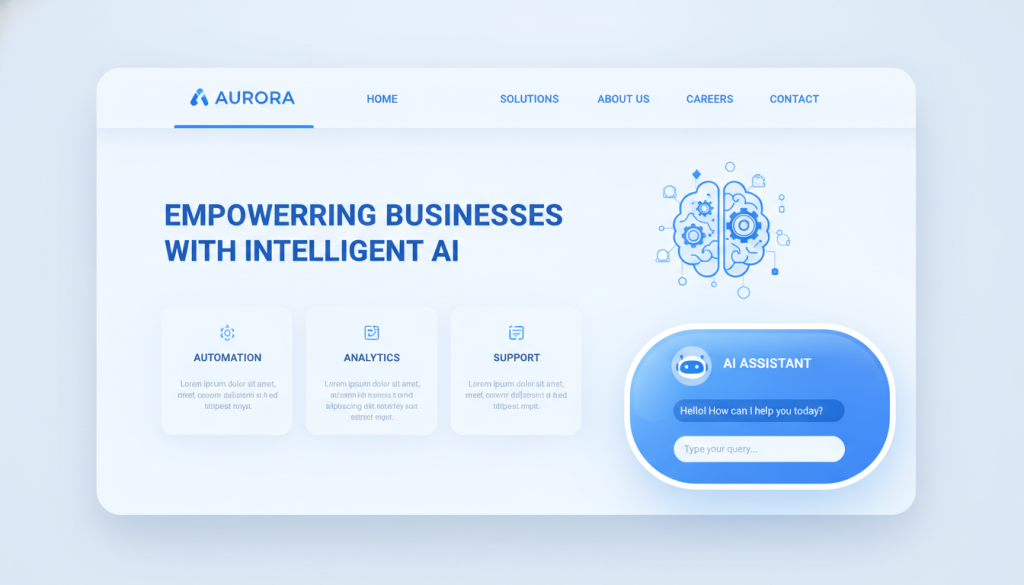
Integrating live chat software for business websites provides instant support for potential clients. AI-powered bots can qualify leads and answer frequent questions even while you sleep. This 24/7 management of inquiries ensures no opportunity slips through the cracks.
These features capture vital visitor data, turning a simple visit into a productive conversation. They act as your first line of service, ensuring every guest feels heard immediately.
Strategic Lead Capture Forms and Call-to-Action Buttons
Strategic lead capture forms must balance data collection with a smooth user experience. Use conditional logic and smart placement to increase conversion rates without annoying your visitors. A strong design for your call-to-action buttons guides people toward your primary goals.
Testing different colors and messages helps you find the most effective way to drive results. Every button should feel like a clear next step in the customer journey.
E-commerce and Payment Processing Capabilities
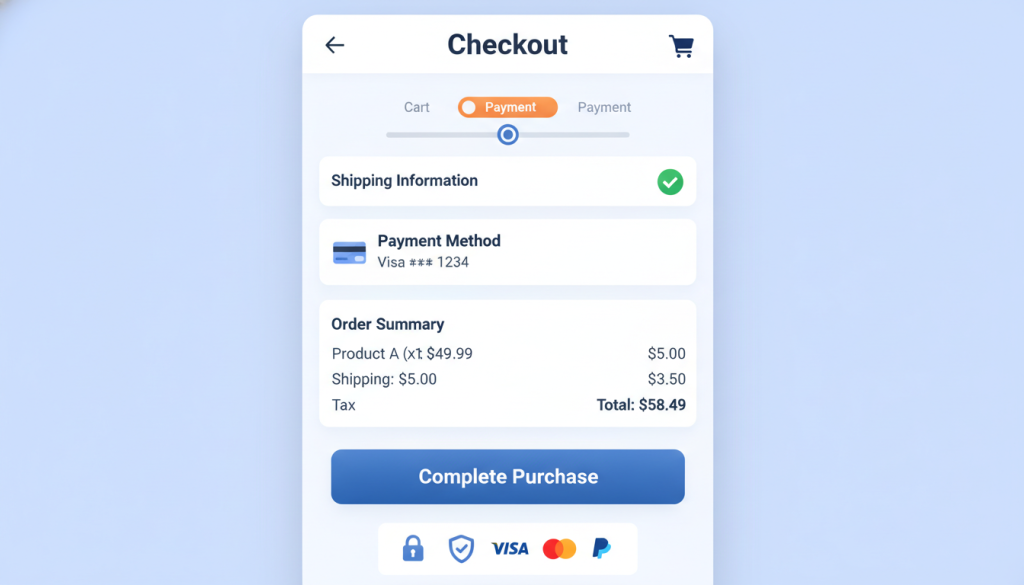
Choosing the right ecommerce platforms for small business is a critical process for any digital store. Whether you use Shopify, WooCommerce, or Magento, your platform choice dictates how smoothly you handle transactions. A skilled web professional understands how to align layouts with these specific technical constraints.
They ensure that shopping carts are optimized and the checkout flow is seamless. Professional design prevents cart abandonment by building trust through secure, integrated payment gateways. Your website then becomes a literal cash register that operates at all hours.
Effective web sales depend on a layout that encourages a quick path to purchase.
Analytics and Visitor Tracking Systems
Data is the fuel that powers a successful web strategy. By using advanced tracking systems, you can monitor how people interact with every single website page. This visibility allows you to see where visitors get stuck or where they drop off.
These insights provide the evidence needed for continuous improvement and smarter decision-making. An integrated web setup treats analytics as a core feature rather than an afterthought. When you measure performance, you can refine your design to better serve your business objectives.
Continuous design updates based on real data ensure your digital employee stays efficient and profitable.
Step 4 – Optimize for Maximum User Engagement and Conversions
Strategic refinement turns a basic online portal into a powerful tool for business growth. Simply installing tools on your website is not enough to guarantee success. You must ensure that every feature functions at peak efficiency to meet your commercial goals.
Optimization is a continuous process that relies on real data rather than assumptions. By fine-tuning your digital assets, you create a seamless journey that encourages visitors to take action. This proactive approach transforms passive visitors into loyal customers.
Apply Mobile-First Design Principles
Mobile traffic now dominates the digital landscape in the United States. You must prioritize smartphone and tablet users to capture this massive audience. A mobile-first design ensures that your web layout remains functional and clear on smaller screens.
Responsive layouts adjust automatically to provide a consistent user experience across all devices. Focus on readable fonts and touch-friendly buttons to prevent visitor frustration. High usability leads directly to better engagement and longer session durations.
Improve Page Speed and Loading Performance
Speed is a critical factor for the success of any professional site. Most visitors will abandon a web page if it takes longer than three seconds to load. You can significantly boost performance by implementing image compression and lazy loading techniques.
Utilize content delivery networks and caching strategies to reduce server response times. Minifying code also helps your pages load faster, keeping your audience interested. Fast loading times are essential for maintaining high conversion rates and improving search rankings.
“Design is not just what it looks like and feels like. Design is how it works.”
Streamline Navigation and Information Architecture
Intuitive navigation reduces the number of clicks a user needs to find information. A clean visual style and organized menus help visitors explore your web content without confusion. This clarity guides them naturally toward your primary calls-to-action.
Accessibility plays a major role in modern web development. Ensure your design serves all people, including those with disabilities, by using proper contrast and alt text. An inclusive approach improves both the user journey and your search engine performance.
| Element | Optimization Action | Business Goal |
|---|---|---|
| Page Speed | Compress heavy images | Lower Bounce Rate |
| Navigation | Simplify menu style | Faster Conversions |
| Mobile Design | Use responsive grids | Higher Site Traffic |
| Forms | Reduce input fields | Better Lead Quality |
Regularly perform A/B testing to compare different headlines, images, and button placements. These small refinements compound over time to produce significant revenue increases. A well-optimized website provides a superior experience that keeps your business competitive and profitable.
Step 5 – Set Up Automated Workflows and Processes
A smart website works well without constant manual help through automation. This process is the main difference between a basic site and a digital worker. It lets your web presence function like an independent employee.
Automation turns your site into a tool that requires very little supervision. By removing the need for constant human oversight, you ensure your design serves a purpose beyond just looking good. It becomes a reliable engine for growth.
Configure Email Marketing Automation
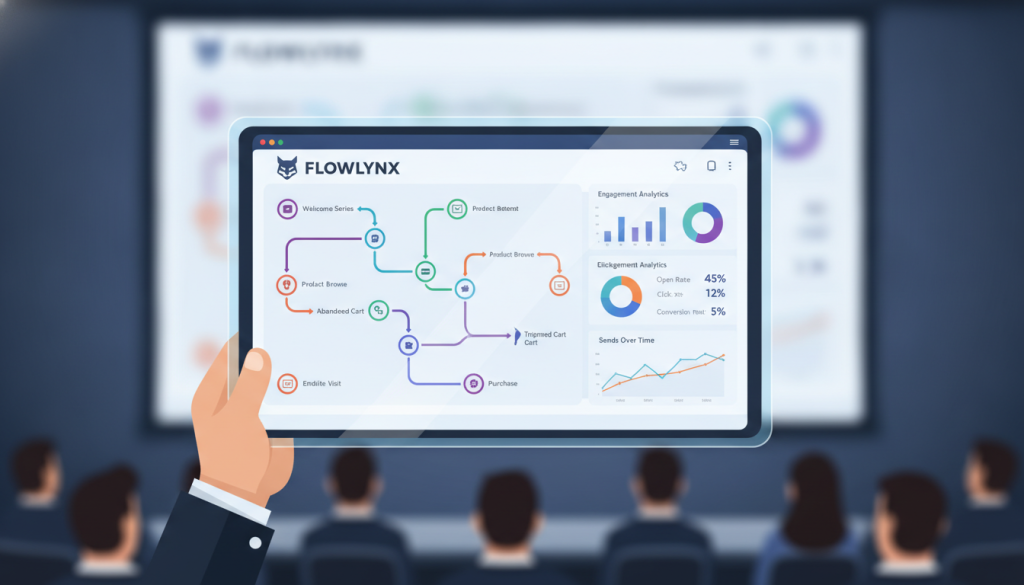
Your website should start a conversation the moment a visitor interacts with your content. By using a robust email platform, you can trigger personalized messages based on specific user behavior.
These triggers ensure that potential clients receive the right information at exactly the right time. Personalized outreach builds trust without requiring you to hit “send” for every new lead. This allows your business to scale its communication effortlessly.
Integrate Customer Relationship Management Systems
Successful web strategies rely on seamless data flow between user interactions and business systems. CRM management software captures leads directly from your digital forms and places them into your sales pipeline.
This integration allows your team to track every conversion from the first click to the final sale. CRM tools automate lead notifications and data entry, providing essential support for your sales staff. It prevents important information from getting lost in messy spreadsheets.
Build Automated Follow-Up and Nurture Sequences
Building a nurture process ensures that prospects stay engaged long after they leave your web pages. These sequences deliver relevant content that moves visitors closer to a buying decision. Consistent follow-up is the key to converting hesitant visitors into loyal customers.
High-quality web design includes these paths to guide the customer journey. Strategic design choices help convert traffic by offering the right help at the right time. Good design works for you 24/7 to maintain engagement. This automated web design approach keeps your pipeline full while your team focuses on high-value tasks.
Step 6 – Establish Clear Performance Metrics and KPIs
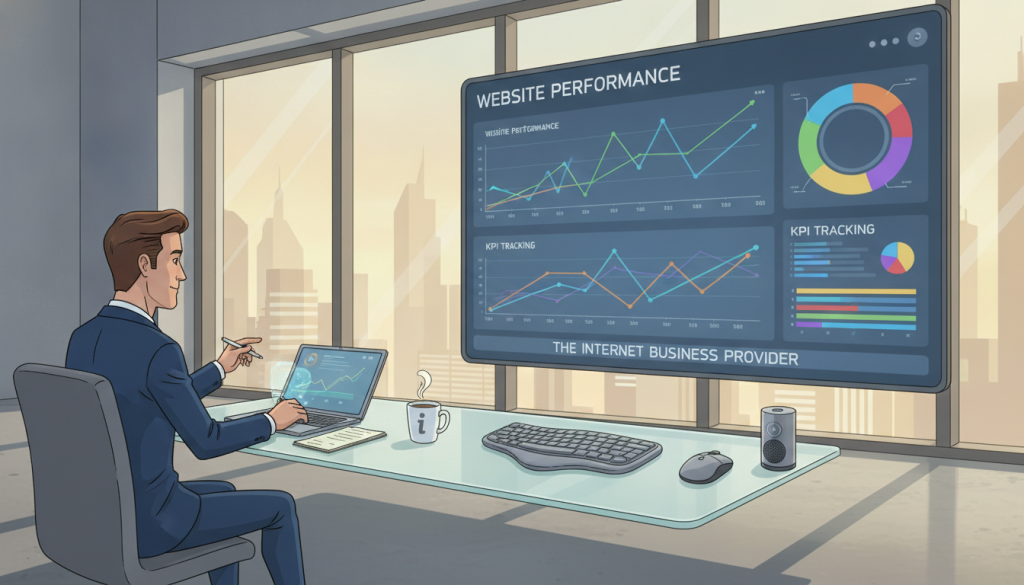
To truly treat your website like an employee, you must establish clear accountability through measurable performance standards. Every high-performing staff member requires a regular review to ensure they meet your high expectations. This process ensures your digital worker contributes directly to the success of your business.
Without data, you cannot know if your digital investment actually performs its duties. Setting clear goals allows you to move beyond vanity numbers and focus on real growth. You should create a framework to track progress and set targets for the future.
Track Conversion Rates Across All Touchpoints
Your web presence must guide visitors toward specific actions that lead to profit. You should track conversion rates on landing pages, product pages, and contact forms. This data shows which parts of the design are working hardest for you.
Watching these touchpoints helps you find where a user might get stuck in the funnel. By fixing these gaps, you make your web systems much more efficient. It is exactly like training an employee to close more sales during their shift.
Monitor User Engagement and Behavior Metrics
Engagement metrics reveal how people interact with your online content. You should monitor bounce rates, time on site, and pages per session. These numbers tell you if your web content is actually helpful to your audience.
High interaction rates indicate that your design choices are working well. If people leave quickly, it may be time to update your strategy. Regular evaluations help you focus your optimization efforts where they matter most.
Measure Revenue Attribution and ROI
Connecting digital activities to actual sales is the final piece of the puzzle. Revenue attribution shows how your design and marketing efforts turn into cash. This proves the return on investment for every dollar you spend on your digital presence.
Establish baseline metrics early to measure your growth accurately. Clear reporting keeps everyone informed without using too much complex data. This approach keeps your website accountable for its performance every single day.
Essential Platforms and Tools to Make Your Website an Employee
The secret to a website that works 24/7 lies in the robust platforms and automated tools you choose. You need a tech stack that communicates smoothly to handle tasks without human help. Selecting the right foundation ensures your digital employee remains productive and efficient.
Professional Website Builders for Business
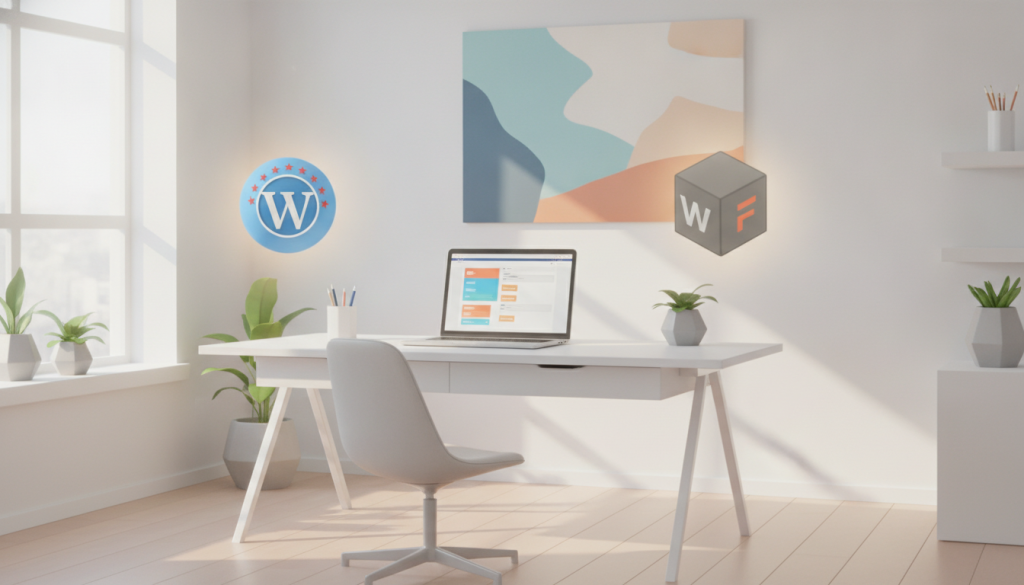
To start your web design project, choose a platform that supports automation. Webflow offers deep visual control with built-in logic for automated workflows. Squarespace provides simple services for small businesses needing a clean look quickly.
Meanwhile, WordPress remains a top choice because it allows for massive scaling. These platforms ensure your digital presence can grow alongside your business. Picking the right platform depends on your technical skills and specific goals.
Small businesses might prioritize ease of use, while growing firms need scalable customization. Each platform offers different levels of support for third-party apps. This foundation determines how well your site performs daily tasks.
Content Management Systems for Dynamic Websites
A dynamic web presence requires a system that manages content effortlessly. Shopify and Magento are great websites for e-commerce growth. They handle inventory and payments so you don’t have to manually track every sale.
WooCommerce turns a standard website into a powerful store with flexible plugins. These services help you update pricing or blogs without touching code. Strong CMS tools allow your team to manage information across multiple web pages easily.
This flexibility is key to maintaining a modern and active digital presence. It allows your digital “employee” to stay current with minimal effort. You can scale your operations without hiring more manual data entry staff.
Marketing Automation and CRM Software
Connecting your design to a CRM like HubSpot or Salesforce is vital. These tools capture leads from your forms and start follow-up sequences. ActiveCampaign can send emails based on how users interact with your websites.
This integration turns your portal into a full-scale marketing department. You won’t miss a lead because the system handles the first conversation automatically. Automation software bridges the gap between a visitor and a loyal customer.
Successful businesses integrate these tools into a cohesive system rather than using disconnected apps. It ensures every visitor receives a personal touch at any hour. This software acts as the memory of your digital worker.
Analytics and Performance Monitoring Tools
You cannot manage what you do not measure in your web design strategy. Google Analytics provides deep insights into how visitors find and use your pages. Use heat mapping tools to see where people click most often on your design.
These insights help you refine your web strategy for better conversion rates. Constant monitoring ensures your digital worker is actually meeting its performance goals. Tracking data is the only way to prove your ROI.
Use this information to improve your design and maximize your overall results. It helps you decide where to invest your budget next. Proper monitoring keeps your design effective and profitable over the long term.
When to Hire Professional Web Design Services

Hiring web professionals is a necessity when your digital presence needs to match your business’s real-world success. If you have a set customer base, a DIY builder often fails to meet your growing needs. A dedicated web designer brings the technical experience required to turn a site into a worker.
A professional agency uses teams of experts to handle every part of your site’s growth. These web designers ensure your digital presence aligns with your long-term goals. Investing in professional services ensures you receive high-value results that a simple template cannot match. An expert designer will help you avoid the common traps of amateur site building.
You Need Complex Custom Functionality
Advanced features often require a level of complexity that basic templates cannot provide. Whether you require custom tools for your CRM or advanced sales features, professional web design ensures everything works. Skilled web designers build systems that automate your specific business tasks flawlessly. They make sure your website handles your unique needs without breaking.
Your Brand Requires a Unique Custom Design
To stand out from competitors, your site must reflect your specific brand values. A professional designer looks beyond basic layouts to create a visual style that hits home with your audience. Reviewing a portfolio allows you to see how a web designer handles visual challenges for a project. They know how to make your brand look authentic and modern at the same time.
Skilled web designers help you shine in a crowded market. They create a custom web design that shows off your professional standards. Every designer on the team works to ensure your style stays the same on every page. This focus on detail makes your project look much better than a cheap DIY site.
You Want Ongoing Maintenance and Strategic Support
A website requires constant support to remain secure and fast. Professional services provide the daily care that most DIY users overlook. This long-term experience prevents the “false economy” of amateur fixes. Fixing a broken project later usually costs more than doing it right the first time.
Working with a web designer on a regular basis keeps your site safe from hacks. You can check an agency’s portfolio to see their history of long-term client experience. Expert web designers provide the smart advice necessary to keep your site working. They ensure your digital employee stays on the job 24/7 without any unplanned downtime.
Common Mistakes When Trying to Hire a Website
Successful companies avoid common mistakes that turn a professional web presence into a digital liability. Even with a skilled web designer, a project can fail if the vision is too narrow. Most owners realize they need a professional website to attract customers and process sales.
However, many fall into traps like inadequate budgets or unrealistic timelines. Avoiding these errors separates successful builds from expensive disappointments. Proper communication with your designers ensures the site delivers actual ROI and serves your audience well.
“Design is not just what it looks like and feels like. Design is how it works.”
Prioritizing Aesthetics Over Functionality
Many owners focus too much on the visual “look” of a page. While designers love creating beauty, a business needs a site that works. If a user cannot find a contact button, the visual design has failed its main purpose.
Ignoring Mobile User Experience
Mobile traffic now represents the majority of visitors for most companies. Ignoring the mobile experience is a fatal error that limits your total reach. Your web design must work perfectly on smartphones to keep visitors engaged and happy.
Overlooking SEO and Technical Performance
Technical performance and search visibility are often overlooked during the project build. A slow web page frustrates the user and hurts your search engine rankings significantly. Overlooking these details creates long-term problems that require expensive fixes later.
Launching Without Clear Goals or Strategy
Launching a site without a strategy leads to a professional look with no measurable value. Every web asset needs specific goals to track performance and success. A great web designer will help you define these targets before the first line of code is written.
Work with professional designers who value web performance over simple art. A skilled web designer balances beauty with design logic to create a digital employee. This careful design choice ensures your website finally starts working for you 24/7.
| Common Mistake | Business Impact | Preventative Strategy |
|---|---|---|
| Style Over Function | Low Conversion Rates | Focus on Intuitive User Flow |
| No Mobile Focus | High Bounce Rates | Implement Mobile-First Layouts |
| Ignoring SEO | Poor Search Visibility | Optimize Speed and Metadata |
| Vague Objectives | Wasted Marketing Budget | Define Key Performance Metrics |
Conclusion
To truly succeed in the modern digital marketplace, you must treat your site as a dedicated employee. This mindset shift transforms a passive tool into a productive team member. A high-performing website offers constant availability and a seamless user experience for your clients.
The process of hiring web professionals requires a clear understanding of your goals. You can find a skilled web designer on platforms like Upwork, Fiverr, or Toptal. Each platform offers a different range of skills and experience levels for your business.
When you review potential web designers, look closely at their portfolio and past feedback. A freelance web specialist should demonstrate technical web development quality and a professional style. Ensure they understand your project scope and complexity before starting any work.
Rates for a freelance web designer typically vary from $15 to over $200 per hour. Investing in professional web design services leads to a better ROI and management of leads. Proper website design ensures your sites work as hard as your best human staff.
Avoid common mistakes like ignoring the mobile experience or lacking a clear job description. Success comes from hiring web experts who align designs with specific business needs. Use reviews from previous projects to select the best designers for your companies.
Take the next steps by auditing your current performance and setting new goals. Businesses that prioritize quality web portfolios see higher conversion rates over time. This one strategic list of services can change how clients see your web presence.
Choose designers who offer time-efficient web development and clear communication. Your project deserves a designer who understands your unique websites requirements. Transforming your website today builds a stronger future for all businesses.
| Hiring Platform | Primary Strength | Ideal Project Type |
|---|---|---|
| Toptal | Pre-vetted experts | High complexity and web development |
| Upwork | Diverse skills | Flexible freelance web tasks |
| 99designs | Creative designs | Visual website design contests |
| Dribbble | Visual portfolio | High-end aesthetic design |