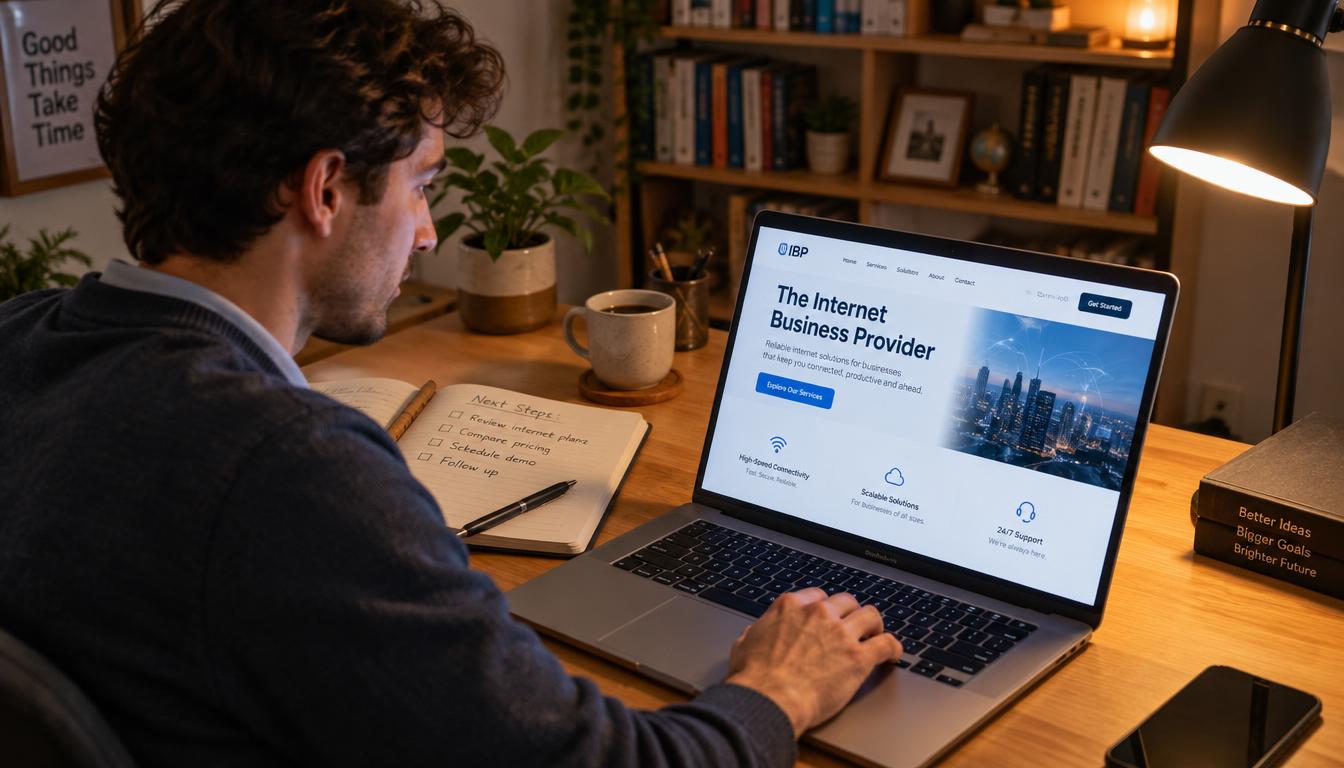
It’s 2 AM. A potential customer lands on your website, finds the service they need, and has a question. Can they take the next step, or must the opportunity wait until morning?
If your business offers no clear way to make an inquiry after closing, a ready prospect may leave and contact another provider. A connected 24/7 Sales Engine can capture interest while you are unavailable, without pretending that automation makes a sale.
The practical goal is simple: guide a visitor from a useful page to a recorded request, then give your team a clear path to follow up. Capturing an inquiry is the start of a sales process, not an automatic sale.
Key Takeaways
- Connect your website, CRM, and follow-up steps.
- Give visitors a clear action that works after hours.
- Set an honest expectation for the human response.
- Check that each inquiry reaches someone responsible.
- Measure useful follow-up, not just submission volume.
That connected capture process is the 24/7 Sales Engine. Its parts work together to make an inquiry visible and ready for a person to handle.
How Does 24/7 Lead Generation Work?
After-hours capture works when your website, CRM, and follow-up steps operate as one process. A visitor arrives through a consistent traffic source, submits an inquiry, and receives an automated response.
A 24/7 system needs a traffic source, a website capture point, a CRM that logs submissions, and an automated response within minutes. Those connections create a reliable lead generation process, but they do not guarantee a sale or revenue.
After-hours capture works when your website, CRM, and follow-up steps operate as one process. The system records interest; your team handles the sales conversation.
For example, a local search, referral, or marketing campaign can send someone to a relevant page. The page offers a next step. When the visitor completes it, automation records the details and sends an acknowledgement.
Lead routing is the rule-based assignment of each new inquiry to the right person or destination for follow-up. A CRM can then create a follow-up task, so an inquiry does not stay buried in an inbox.
Automation keeps the pipeline organized while your staff is away. It can record interest and alert a team member, but a person remains responsible for understanding the request and discussing the service.
The connected process becomes easier to plan when you can see what the visitor does and what the system records at each stage.
What Happens From Click to Follow-Up?
Trace one visitor from a service page to a request, and the handoffs become clear. The website presents a next step, while the system records the visitor’s actions and submitted data.
A submission can be captured when nobody is monitoring the site, but a future sales conversation still needs an owner. The table separates visitor actions from system actions, so you can spot where contact information enters the process.
| Stage | Visitor action | System action | What gets recorded |
|---|---|---|---|
| Arrive | Opens a relevant page | Page presents a matching next step | Page or source |
| Choose | Selects a CTA | Site opens the relevant form, chat, or booking option | Selected action |
| Submit | Shares requested details | System validates and logs the inquiry | Submitted information and time |
| Follow up | Receives acknowledgement | System routes the inquiry for human response | Owner, status, and next action |
Each step should leave a useful record. A source can show which channel brought the visitor, while the selected action reveals what they wanted to do.
When a visitor submits contact information, the system should validate it and log the time. That record helps your team understand what was requested and when.
The handoff is not complete just because the website stored data. Someone must own the next contact, even if that task waits until the team is available.
Before a form or workflow can help, the visitor needs a clear action that explains what they can do next.
Which Calls to Action Should a Website Use?
A vague button such as “Submit” hides the next step; a specific call to action (CTA) tells visitors what to expect. Clear wording helps people choose without guessing.
Match one primary CTA to the service page’s offer, then use plain language to name the action. That choice can support lead generation and conversion rates by making the next move easier to understand, not by promising a particular conversion.
- “Request a callback” suits visitors who want your team to contact them.
- “Book a consultation” fits a page offering a planned discussion.
- “Ask a question” works when visitors need clarification before deciding.
- “Get a quote” is useful when the page invites a pricing request.
Choose the label that matches what your business can actually provide. If a page promotes one service and one clear outcome, a single primary CTA can reduce competing choices.
Several prominent buttons can make sense when a page serves distinct needs, such as emergency repair and planned maintenance. Keep each action tied to its own offer, so visitors can tell the difference.
Vague labels such as “Submit” describe a technical step, not the result. A visitor should know whether a click starts a quote request, a question, or a call-back request.
Once a visitor chooses an action, make the next step simple to complete on a phone.
How Can Forms Work Well on Mobile?
Picture a customer holding a phone in one hand while requesting service. The form should feel easy to finish, not like a desktop page squeezed onto a small screen.
Build a mobile form around readable labels, large tap targets, and only the information needed to respond. A visitor should not need to pinch, zoom, or fight the website to send contact information.
Make essential fields easy to complete
Put a clear label beside each field instead of relying only on placeholder text. Use buttons and input areas large enough to tap without accidental selections.
Arrange fields in a sensible order, starting with basic contact details before any optional context. Phone-friendly input types can bring up the right keyboard, such as a number pad for a phone number.
Keep the page responsive, with text and controls that fit the screen. A long horizontal field or tiny checkbox can turn a simple inquiry into a frustrating task.
Reduce friction without losing useful context
Every field should earn its place by helping your team respond or decide what happens next. Show required fields clearly, and explain an error beside the field that needs attention.
When feasible, preserve information the visitor already entered after an error. Making someone re-enter a long form because one field was incomplete can cost you a valid lead.
Avoid a form that forces the visitor to pinch, zoom, or re-enter every detail after a small mistake. Basic contact capture should stay distinct from extra questions that help your team decide how to respond.
What Should an Inquiry Form Ask?
An inquiry form should collect enough information for a useful next contact, not conduct a full interview. Keep the request focused on contact information and a few details that affect follow-up.
Ask only questions that change who responds or what happens next. A short set of relevant data can help your sales team judge fit without making a lead work too hard.
| Question or field | Example | Why it helps |
|---|---|---|
| Name | How should we address you? | Identify the person |
| Preferred contact method | Phone or email? | Use the visitor’s chosen channel |
| Service need | Which service are you interested in? | Direct the inquiry to the right service |
| Timing | When would you like help? | Distinguish urgent requests from exploratory ones |
A name helps your team address the person, and a chosen contact method helps avoid using the wrong channel. The service need can point the request toward the right person.
Timing matters when a request may be urgent or exploratory. Ask for a useful distinction, not an exact schedule that your team cannot act on.
Complex or sensitive details can wait for a person. A website form should gather enough context to start a conversation, not ask visitors to explain everything before anyone responds.
Some visitors may prefer a short conversation before they share details, which makes chat an optional support channel.
When Does Chat Help After Hours?
A visitor may have a simple question but not be ready to fill out a form. Chat can offer light guidance, provided it does not suggest a person is present when nobody is staffed.
Automated chat can answer basic questions and direct visitors to a form or booking link, but it cannot make judgment calls. Keep chat optional, and present live chat only during actual staff coverage.
Use automated chat for simple guidance
Automation can point visitors to business hours, service pages, or the right next step. It may collect limited context before directing a complex request to an inquiry form.
Keep its limits visible. A bot cannot promise that a human will reply at a particular time unless your team has set that expectation and can meet it.
| Chat approach | Useful for | Limit |
|---|---|---|
| No chat | Clear forms and booking links handle the next step | Visitors who know what they need may get no conversational help |
| Automated chat | Basic answers and links for simple repeated questions | Cannot make judgment calls or promise a human reply |
| Staffed live chat | A person clarifies needs and collects context | Availability depends on staff coverage |
Offer a human chat option only when it can be staffed
Live chat needs scheduled coverage, just like phone support. Display its real availability, and avoid a “live” label when visitors will only receive an automated response.
A business with set coverage can use chat to clarify a service need and gather context. If your team cannot respond outside those hours, a form or booking link may be more dependable.
Chat is one channel, not a requirement for lead generation. For some visitors, the most useful next step is choosing a time to speak with your team.
How Can Visitors Book an Appointment?
A visitor may want to discuss a service but cannot call during office hours. Online booking can make the next step concrete by showing genuine times for a conversation.
Show only appointments your staff can actually attend. The booking process should identify the appointment type, collect the visitor’s name and contact information, confirm the selected time, and explain who will attend.
Calendar availability must reflect real staff capacity. A booking that lands during a meeting or when the right person is unavailable creates avoidable confusion in the sales pipeline.
- Define the appointment type and its purpose.
- Set the hours that visitors can book.
- Add a buffer or availability limits for staff capacity.
- Send confirmation with instructions for rescheduling.
Offer only appointment types that your team can handle, such as an initial consultation or a service assessment. State who will join the meeting, so the visitor knows what to expect.
After a visitor chooses a time, send a confirmation that repeats the appointment details. If the calendar is not open for after-hours booking, collect a preferred time and say that your team will confirm it later.
Not every inquiry will turn into a booked meeting. Each one still needs a clear owner so it can move toward a useful response.
How Should a CRM Route New Inquiries?
A captured inquiry does little for your team if it sits in an unattended inbox. Your CRM should make each record visible and assign a clear follow-up owner.
Route inquiries using practical rules, then test the full connection from submission to CRM record creation. An integration logo or enabled setting does not prove that the data reached the right place.

Set assignment rules before launch
Where relevant, route by service, location, or inquiry type. A request about a different service should not land with a team member who cannot help.
Make sure the CRM record includes submitted contact information, the source, and a next action. These details help the owner understand the request without searching several platforms.
Test the integration with a real test submission. Confirm that the data appears in the CRM, the right record fields populate, and the intended follow-up task is created.
Decide what happens when the first owner is unavailable
Set a backup owner or a shared queue for staff absences. Decide where notifications go, and make the route clear enough that another person can act.
Create a way to flag an unassigned inquiry, such as a queue view or an alert. A record with no owner is easy to overlook, even when the platform successfully captured it.
Test the path from form, chat, or booking through CRM creation and notification. Once an owner is clear, your system can prepare the acknowledgement the visitor receives while the team gets ready to respond.
What Should the First Automated Reply Say?
An automated reply confirms receipt; it does not resolve the visitor’s need. Keep that distinction plain, so the visitor knows what the system has done and what a person will do next.
State that the inquiry arrived, name the requested service or next action, and give a response window your team can meet. Add an alternate route for urgent needs only if your business offers one.
- Confirm receipt of the inquiry.
- Give the expected response window.
- State the next step for the visitor.
- Provide a business contact route for urgent needs, if offered.
A useful message can identify the service requested, say that a team member will follow up within a stated window, and give the business’s regular contact route. Avoid language that implies a person has already reviewed the request.
A practical workflow can send an immediate email or text acknowledgement and alert the team. If no contact is logged within 15-30 minutes, schedule a call reminder.
If the inquiry remains uncontacted after 24 hours, start a fallback nurture sequence. That reminder should help your team recover the missed follow-up, not make the visitor think a human already replied.
The message sets an expectation, while the actual response depends on a person. Consider how that process works for someone who submits an inquiry in the middle of the night.
What Does a 2 AM Visitor Journey Look Like?
In this hypothetical journey, a visitor researches a service from a phone at 2 AM. They land on a relevant page and see a clear option to request a callback.
The inquiry can be recorded and assigned overnight, but no sale happens automatically. The process gives the visitor a next step and gives the business a useful record for human follow-up.
The visitor taps the CTA and submits a name, preferred contact method, service need, and timing. The site confirms receipt and gives a realistic response window for the team.
The page also offers an available follow-up appointment. The visitor selects a time that the team can attend, and receives confirmation of the chosen meeting.
The CRM shows the inquiry in a queue for the relevant owner. It includes the submitted contact information, the service request, the appointment, and the next action.
When business hours begin, the owner can review the request and contact the visitor with the right context. The capture process made the conversation possible; it did not decide whether the service was a fit.
Collecting contact details also means being clear about how the business handles and protects the information.
How Do You Protect Privacy and Block Spam?
A visitor may reasonably ask what happens to the information they submit. Explain the purpose of each request and make the handling of contact information understandable.
Collect only information your business needs, and use spam controls that do not shut out legitimate visitors. Your website should make the exchange clear before someone sends a request.
Explain what information you collect and why
Tell visitors why you need each detail, such as using a phone number to return a requested call. Make optional fields visibly optional, rather than presenting every question as required.
Obtain clear permission before marketing follow-up or text messages where required. Check the rules that apply to your location and communication methods, since requirements can vary.
Keep the explanation close to the request, where a visitor can see it while deciding whether to submit. Avoid promising uses that your team does not follow in practice.
Add proportionate safeguards against junk submissions
Field validation can catch missing or malformed entries. Rate limits can slow repeated submissions, while a honeypot field can help identify automated spam without adding a visible task for visitors.
CAPTCHA can be useful in some cases, but an overly aggressive challenge can block real visitors. Provide an accessible route for someone who cannot complete a visual challenge.
Use safeguards that fit the level of spam you see, then watch whether legitimate inquiries still get through. Automated controls can filter submissions, but some requests still need a person’s judgment.
When Should a Person Take Over?
Automation can organize a routine service request, but a complex question may need a knowledgeable person. A human handoff provides judgment when a script or form cannot resolve the issue.
Aim to respond to a new inquiry within 5 minutes when possible. A person should take over when the request needs judgment, reassurance, or a specific service recommendation.

Examples include a complex request, unclear service fit, an accessibility need, an urgent concern, or an explicit request to speak with a person. These situations call for more than an automated acknowledgement.
Mark the handoff in the CRM and preserve the conversation context. Give the assigned team member the visitor’s request and the steps already taken, so the visitor does not have to start over.
- Name the owner responsible for the next contact.
- Record the next action the owner will take.
- Keep the promised response window realistic.
If your team cannot meet a five-minute response, give a window it can meet instead. A fast target is useful only when it reflects actual staffing and workload.
Clear handoff expectations help your sales team act without losing the visitor’s context. The next question is whether the capture process is doing its job.
Which Metrics Show Whether Capture Works?
A submission count alone cannot show whether the process serves your business. Separate completed inquiries from requests that fit your needs, then track what happens after submission.
Measure completed inquiries, qualified leads, bookings, and elapsed time to human response. Together, these figures help you see whether the capture point works and whether useful follow-up happens.
Measure completed inquiries and qualified leads
Completed inquiries are requests successfully submitted through the website. Qualified leads are submissions that meet your business’s stated fit criteria.
Define fit in practical terms, such as the service requested or the location your team covers. Raw inquiry volume does not prove that visitors are ready to buy or that the pipeline holds sales-ready leads.
Track bookings and response time
Count confirmed appointments to see whether visitors take that next step. Track the elapsed time between submission and the first human contact to check whether follow-up meets expectations.
| Metric | What to count | What it helps diagnose |
|---|---|---|
| Completed inquiries | Successful submissions | Whether the capture point works |
| Qualified leads | Submissions meeting stated fit criteria | Whether targeting and qualification align |
| Bookings | Confirmed appointments | Whether visitors take the next step |
| Response time | Time from submission to first human contact | Whether follow-up meets expectations |
Cost per lead is attributable channel spend divided by leads from that channel. Compare the result with lead quality, not just volume, because an inexpensive inquiry may not fit your service.
Review the numbers over a consistent period and compare channels using the same definitions. Those results can point to practical fixes in the visitor path or follow-up process.
What Common Setup Problems Should You Fix?
A test inquiry can appear to submit successfully but never reach the person expected to follow up. Find the break in the whole path, from the visitor’s action to the team’s response.
Test the workflow from a phone through confirmation, CRM record, alert, owner, and follow-up task. A visible thank-you message does not prove that the sales team received the lead.
Find where visitors abandon the capture path
A low number of completed inquiries can point to an unclear CTA, a slow or difficult mobile page, or too many fields. Check where visitors leave before changing the form.
Missed bookings may come from confusing availability or appointment types that are not actually available. Review the calendar from the visitor’s point of view and confirm that the choices match staff capacity.
Test the workflow from submission to human response
Send a test inquiry on a phone, then check the confirmation, CRM record, alert, assigned owner, and follow-up task. Each point should work as expected before you depend on the process.
- CTA unclear: visitors cannot tell what happens after a click.
- Form hard to use: a small screen or excessive fields blocks completion.
- Confirmation missing: the visitor cannot tell whether the inquiry arrived.
- Inquiry unassigned: no clear person owns the follow-up.
- Response promise unrealistic: the stated window exceeds staff capacity.
Change one element at a time and compare results across a consistent period. Several simultaneous changes make it hard to know which adjustment helped.
A practical digital partner can help map a setup around your process, without promising a particular result.
How Can IBP Help Plan the Setup?
Start by identifying the exact point where a potential customer currently loses a clear next step. That makes planning practical and keeps attention on what your business needs.
A useful planning conversation connects missed inquiries, meaningful contact actions, ownership, realistic response expectations, and measurable outcomes. The right choices depend on your service, team, and current marketing process.
With The Internet Business Provider (IBP), you can discuss where inquiries are currently missed and which actions matter most. Consider whether visitors should request a callback, ask a question, or book a service discussion.
Talk through how requests should reach the right person and what response expectations your business can meet. A process that promises more than the team can deliver can create confusion instead of trust.
It can also help to name the outcomes you want to measure, such as completed inquiries, booked conversations, or lead quality. Clear goals keep the discussion focused on fit rather than on adding tools for their own sake.
Start with the point where a potential customer loses a clear next step. Build the capture process around the actions your team can support.
Invite a low-pressure conversation with IBP about your business’s after-hours lead-capture needs. The core principle is straightforward: give a visitor a clear next step and make human follow-up possible.
Conclusion
Being available online around the clock means making the next step clear, not pretending a person is always present. A useful 24/7 Sales Engine captures an inquiry, sets an honest expectation, and makes human follow-up possible.
Choose one point where a visitor currently gets stuck and decide how your team can respond. That small, concrete step can make your service easier to reach without promising an automatic sale.
Contact IBP to discuss your after-hours inquiry process and the lead-capture needs of your business.