You would not leave a storefront door open at night with no lock, alarm, or camera. Yet many owners launch a site with the same dangerous gap. That choice can weaken trust before the first sale.
About 30,000 sites are hacked worldwide each day, and small business accounts for 43% of cyberattacks. An active SSL certificate helps protect visitor information while showing customers that your company takes digital risk seriously.
Real-time monitoring can spot harmful activity early. Along with strong passwords, safe hosting, and basic cybersecurity, it supports credibility, search visibility, qualified leads, and revenue. The FTC also offers practical guidance and tools that help businesses of every size improve their defenses.
This guide explores common threats, SSL certificates, risk checks, maintenance, secure hosting, best practices, and incident response. Together, these steps turn protection into a direct investment in lasting growth.
Key Takeaways
- An exposed site can damage trust like an unlocked storefront.
- SSL helps protect visitor information.
- Monitoring can identify threats early.
- Strong safeguards support leads and search visibility.
- FTC resources can guide practical improvements.
Would You Leave Your Front Door Open at Night? The Hidden Cost of an Insecure Website
Many owners assume attackers will ignore their company because it is not large. In reality, automated scans search websites, accounts, and online systems for easy openings.
Why Small Businesses Are Frequent Targets for Cyberattacks
Limited staff and outdated tools can create clear threats. Small businesses represent 43% of cyberattacks, while 60% of affected companies close within six months. Stolen data, phishing, weak passwords, and spoofed email can stop sales and expose customer information.
“82% of breaches involve the human element.”
That finding links employee errors and weak authentication to avoidable risk. One careless click can give attackers a place inside an account.
How Security Breaches Cause Revenue, Trust, and Reputation Losses
Downtime causes direct losses: 17% of owners lose revenue, and 37% lose customers. Equifax faced $1.38 billion in settlement costs. Estée Lauder exposed more than 440 million records, while hackers controlled over 130 Twitter accounts in 2020.
| Weak point | Likely result | Business impact |
|---|---|---|
| Old passwords | Account takeover | Lost leads |
| Phishing email | Stolen data | Customer distrust |
| Unplanned downtime | Missed orders | Revenue losses |
What Website Security Means for Your Business and Customers
Website security is more than a technical setup. It is a set of practices that blocks unauthorized access, misuse, data loss, and service disruption. This approach protects the company, its customers, and the user experience.
Protecting Confidentiality, Integrity, and Website Availability
Confidentiality keeps sensitive information away from unwanted viewers. The FTC recommends encrypting sensitive data at rest and in transit. It also advises limiting access to people who need that information for their job. This rule applies to customer records, payment details, staff accounts, and email.
Integrity helps ensure that pages, transactions, code, customer information, and company messages remain accurate. Strong controls can detect unwanted changes and protect users from altered content.
Availability keeps a business site open to legitimate users. Resilient hosting, monitoring, backups, and recovery steps reduce downtime. Together, these practices support reliable operations and lasting trust.
- Confidentiality limits exposure of private data.
- Integrity preserves accurate content and transactions.
- Availability supports dependable customer access.
| Principle | Primary safeguard | Business value |
|---|---|---|
| Confidentiality | Encryption and limited access | Protects sensitive information |
| Integrity | Change controls and alerts | Preserves accurate data |
| Availability | Backups and recovery plans | Maintains customer access |
Common Website Security Threats You Need to Recognize
Digital threats often begin with one weak link. Learning their patterns helps a business protect its website, systems, customers, and data before suspicious activity causes harm.
Malware, Ransomware, and Malicious Code
Malware can change pages, steal data, or spread across connected systems. Ransomware may lock files and halt operations. Botnets use infected devices in DDoS attacks, while worms move without direct user action. Malicious code can hide inside outdated plugins. WordPress powers over 43.5% of all websites, and plugins cause 98% of its security issues.
Phishing, Brute-Force, and Credential Attacks
Phishing emails copy trusted brands and trick users into sharing login details. Brute-force attacks test common passwords again and again. Since 53% of users have not changed passwords recently, weak credentials remain a predictable entry point.
Injection, Session, and Emerging Threats
SQL injection alters database queries. XSS inserts scripts into pages, while CSRF misuses an authenticated user session. Coding flaws cause 72% of vulnerabilities; a 2021 WooCommerce flaw exposed 5 million sites. DDoS attacks rose 20% year over year, while zero-day flaws and AI-enabled attacks continue to evolve.
How SSL Certificates Build Trust and Support Business Growth
An SSL certificate creates a protected link between a website and its visitors. Current TLS encryption helps shield information sent through forms, logins, and checkout pages. The FTC recommends that web hosts provide the latest TLS version.
When TLS works correctly, the URL begins with https://. This visible signal can reassure customers and users before they share personal information. Encryption helps protect passwords, card details, and other data as it moves between a user and the company website.
Trust grows when protection is easy to see. A secure connection can reduce hesitation during purchases and support stronger business results. Yet email protection also matters. The FTC identifies SPF, DKIM, and DMARC as essential email-authentication tools.
- SPF lists approved senders for company email.
- DKIM confirms that messages remain unchanged.
- DMARC tells providers how to handle suspicious email.
These authentication controls make spoofed email harder to send to customers. Together, TLS and email authentication strengthen credibility, protect card details, and create a safer place for users to engage.
How to Assess Your Current Website Security Risks
A clear risk review turns uncertainty into practical action. Start by mapping the company’s digital assets, systems, and data.
The FTC recommends an inventory of hardware, software, domains, plugins, employee accounts, services, and third-party resources. Record where sensitive data lives and who has access. Then use the free, voluntary NIST Cybersecurity Framework 2.0, built around Govern, Identify, Protect, Detect, Respond, and Recover.
Auditing Assets, Access Controls, and Vulnerabilities
Run vulnerability scans and inspect firewalls, intrusion detection, authentication rules, passwords, software settings, and exposed admin access. Check whether protections match the company’s risk level.
Using Monitoring and Reports to Find Weaknesses
Monitor devices and systems for unauthorized access, unusual activity, and suspicious email. Test whether staff can spot phishing and social engineering. Rank each risk by likelihood and business impact.
“Know what you have, where it is, and who has access to it.”
Finish with a report that assigns owners, deadlines, management decisions, and follow-up steps. This plan gives businesses a measurable path toward stronger cybersecurity.
| Review area | Action | Output |
|---|---|---|
| Assets | Inventory resources | Complete asset register |
| Controls | Scan and test access | Ranked vulnerabilities |
| Response | Assign owners and dates | Actionable report |
Essential Website Security Best Practices for Small Business
Simple habits can reduce risk without slowing daily work. These best practices give each company a clear starting point for safer operations and stronger customer trust.
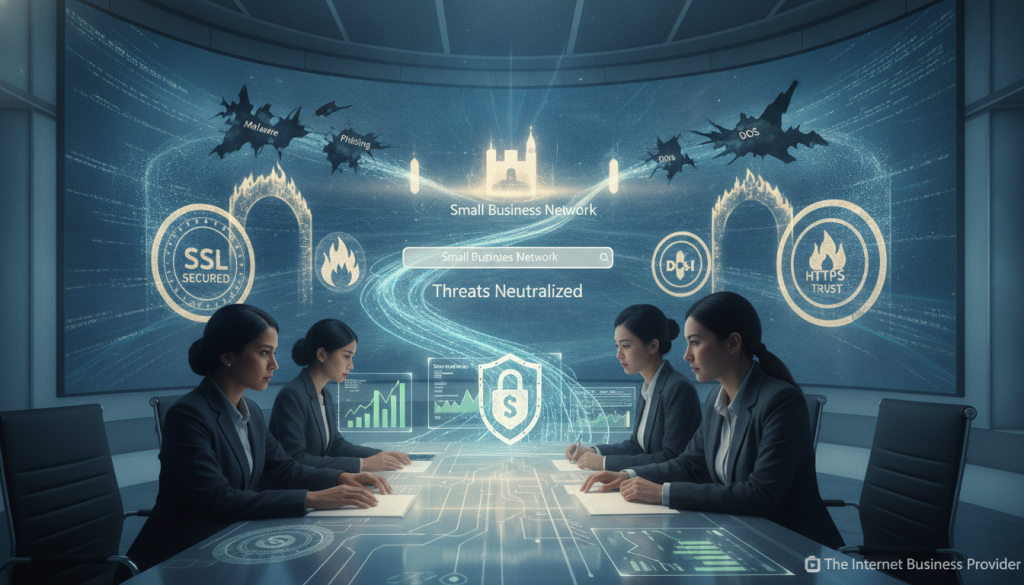
Use strong passwords with at least 12 characters. Never reuse them. Limit failed login attempts and assign unique credentials to every company account. Eight percent of WordPress attacks involve stolen or weak passwords.
Control Access and Prepare Your Team
Require multi-factor authentication for employees, contractors, and vendors. Authenticator apps, temporary codes, hardware tokens, and smartcards add useful control. Apply least privilege so each person receives only the access and resources needed for assigned duties.
- Train the team to spot phishing, unusual email requests, social engineering, lost devices, and unsafe public Wi-Fi.
- Protect networks with changed router credentials, WPA2 or WPA3 encryption, and separate guest access.
- Schedule regular backups and keep an incident response plan with roles, contacts, and recovery steps.
The FTC supports these best practices, while Verizon reports that 82% of breaches involve human action. Review authentication, access, and backups each quarter.
| Priority | Action | Result |
|---|---|---|
| Passwords | Use unique 12-character credentials | Fewer account takeovers |
| Authentication | Enable MFA | Stronger access control |
| Networks | Use WPA2 or WPA3 | Safer connections |
Advanced Protection, Secure Hosting, and Vendor Controls
A layered defense gives your company more than one chance to stop a threat. A Web Application Firewall, Content Security Policy, intrusion detection, HSTS, DNSSEC, and IP allowlisting can block harmful traffic and limit access.
Cloudflare adds DDoS protection and bot management. SIEM tools review live activity across systems and networks, helping teams spot unusual behavior. Secure hosting also matters: 41% of WordPress attacks link to hosting flaws, outdated software, or unsafe settings.
Remote access should require a VPN, MFA, encryption, updated devices, and secure routers. These controls protect data, card details, and sensitive information while employees or vendors use company services.
“Layered controls reduce the chance that one failure becomes a crisis.”
Written vendor contracts should define access limits, data use, sharing, retention, deletion, incident reporting, and software updates. Assign email duties for SPF, DKIM, and DMARC. This clear management approach strengthens cybersecurity and customer trust.
| Layer | Recommended control | Primary benefit |
|---|---|---|
| Traffic | WAF and Cloudflare | Blocks bots and DDoS attacks |
| Access | VPN, MFA, and allowlisting | Limits unauthorized entry |
| Vendors | Written data and email rules | Clarifies shared responsibility |
Ongoing Maintenance and Incident Response for Safer Websites
Strong protection requires steady care, not a one-time setup. Regular reviews help a business find new gaps before an attack affects customers, data, or daily operations.

Keep Software, Plugins, Backups, and Patches Current
Sixty-one percent of WordPress attacks involve outdated websites. Enable automatic software updates when possible, and apply security patches soon after release. Update plugins, themes, hosting tools, authentication controls, and passwords on a set schedule.
The FTC recommends regular backups. Keep copies in cloud storage and on an external drive. Test restoration often, so vital data and website services can return after damage.
Prepare Recovery and Customer Notification Steps
Review logs, track unusual activity, and complete quarterly audits. Professional penetration testing can expose weaknesses before attackers exploit them. Use the NIST Cybersecurity Framework’s Respond and Recover functions to guide each plan.
- Define containment, recovery, roles, communication, and continued operations.
- Prepare email notices about stolen information, card exposure, or phishing.
- Coordinate disaster recovery and business continuity with the full team.
Clear plans reduce confusion and help a business restore access while keeping customers informed.
Conclusion
A modest investment in website security can protect a business’s future. It can save time and money, preserve trust, and support steady online growth. With about 30,000 websites hacked each day, this responsibility deserves prompt attention.
SSL and TLS help protect customer information, card details, login credentials, and other data shared through the company website. Add strong authentication, least-privilege access, current software, monitoring, backups, secure hosting, and employee training to create layered cybersecurity.
Use the NIST Cybersecurity Framework 2.0 to Govern, Identify, Protect, Detect, Respond, and Recover. Review risk as new threats appear. Test recovery steps, secure email, and share accurate information after an incident. Honest communication helps customers and users stay confident while your organization builds a more resilient future.