Imagine walking into a physical office and finding a brick wall behind the showroom door. Most customers would leave immediately without a second thought. In our digital world, website dead ends create that same feeling of frustration for every visitor.
When a customer clicks a button and hits a 404 error page, it signals total neglect. We call this a “Digital Ghost Town.” This sudden stop turns excited shoppers into bounce statistics very quickly.
A professional online presence requires constant reliability to keep people coming back. Providing a seamless user experience (ux) is essential for building long-term trust with your audience. Neglecting these small details can significantly harm your brand reputation.
You should fix broken links on website areas to keep your digital doors open for business. A working site shows that you value your customers and their time.
Key Takeaways
- Avoid the “Digital Ghost Town” effect to maintain site authority.
- Prevent high bounce rates caused by unexpected technical errors.
- Improve the overall user experience (ux) for every visitor.
- Boost brand reliability and professional trust through site maintenance.
- Keep critical paths like “Buy Now” links active and functional.
- Maintain overall site health to ensure better search engine performance.
What Is a Digital Ghost Town?
The term “digital ghost town” might sound extreme, but it’s a reality for many websites plagued by broken links and poor user experience. A digital ghost town refers to a website that has become obsolete or neglected, often indicated by broken links leading to 404 error pages. When users click on what seems to be a valid link only to be met with an error, it not only frustrates them but also reflects poorly on the website.
The User’s Nightmare: From Promise to 404 Error
Imagine a user clicking on a link that promises valuable information or a great deal, only to be greeted by a 404 error page. This scenario is not just frustrating for the user; it’s also a missed opportunity for the website owner. The user’s experience is marred by the broken link, leading to a higher website bounce rate and a negative perception of the site.
Signs Your Website Is Becoming Abandoned
Several signs indicate that a website is becoming a digital ghost town. These include:
- Frequent encounters with 404 error pages
- Outdated content that is no longer relevant
- Broken internal links that hinder navigation
- A general lack of updates or fresh content
Recognizing these signs early can help website owners take corrective action, improving the overall user experience (ux) and preventing their site from becoming a digital ghost town.
How Broken Links Destroy Your SEO Rankings
A website plagued by broken links is essentially a ticking time bomb for its SEO rankings. Search engines like Google use sophisticated crawlers to navigate and index websites, and broken links can significantly hinder this process.
How Search Engine Crawlers Navigate Your Website
Search engine crawlers, also known as spiders, navigate your website by following links from one page to another. This process allows them to discover new content, update their index, and rank your pages accordingly. When these crawlers encounter a broken link, they’re unable to access the intended content, which can lead to a range of SEO issues.
Wasted Crawl Budget and Lost Indexing Opportunities
A crawl budget refers to the number of pages a search engine crawler can crawl on your website within a given timeframe. Broken links waste this budget by directing crawlers to non-existent pages, reducing the number of legitimate pages that can be crawled and indexed. This can result in lost indexing opportunities, where valuable content fails to appear in search results due to crawl budget exhaustion.
The Direct Impact on Your Search Rankings
The presence of broken links can directly affect your website’s search rankings. When search engines encounter numerous broken links, they may perceive your website as poorly maintained or abandoned, leading to a decrease in rankings. A solid link building strategy is crucial for SEO optimization, but broken links can undermine these efforts by reducing the overall quality and crawlability of your website.
By understanding how broken links impact your website’s SEO, you can take proactive steps to identify and fix these issues, thereby protecting your search engine rankings and maintaining a strong online presence.
The User Experience Disaster: When Trust Disappears in One Click
When a user clicks on a link and is met with a 404 error, the trust between them and your website begins to erode. This isn’t just a minor glitch; it’s a significant event that can drive visitors away and harm your online reputation.
A broken link can make users question the reliability of your website. If they encounter too many dead ends, they may start to assume that your business is either defunct or not worth their time.
Why Users Assume Your Business Is Defunct
Users expect a seamless experience when navigating a website. When they hit a broken link, it disrupts this experience and raises red flags about the website’s maintenance and credibility. Here are some reasons why users lose trust:
- Perceived neglect: Broken links give the impression that the website is not regularly updated or maintained.
- Lack of professionalism: A 404 error page can make a website appear unprofessional or amateurish.
- Frustration and wasted time: Users invest time in finding what they’re looking for; broken links waste this time and cause frustration.
The Psychology Behind High Bounce Rates
The psychology behind high bounce rates is closely tied to user expectations and experience. When users encounter broken links, their immediate reaction is often to leave the site. This decision is influenced by factors such as:
- The user’s previous experiences with similar websites.
- The perceived effort required to continue navigating the site.
- The availability of alternative websites that can provide the needed information or service.
Understanding these factors can help in designing a better user experience and reducing bounce rates.
The Real Cost: How Broken Links Kill Your Revenue
Broken links are more than just a nuisance; they’re a silent revenue killer, eroding your bottom line with each click. When critical pages like checkout or contact forms are inaccessible due to broken links, the financial impact can be significant.
Lost Sales on Broken Checkout Pages
A broken link on a checkout page can mean the difference between a completed sale and a lost customer. Consider this: if your website averages $1,000 in daily sales, a single day of broken checkout links could cost you a substantial amount of revenue. According to some estimates, e-commerce sites can lose up to 5% of their daily sales due to technical issues like broken links. This translates to a potential loss of $50 per day, or $1,500 per month.
Missed Leads from Broken Contact Forms
Broken contact forms are another revenue-killer. When potential customers can’t get in touch due to a broken link, you miss out on valuable leads. A study found that 60% of customers prefer to contact businesses through online forms. If your contact form is broken, you’re not just losing a contact; you’re losing a potential sale.
Calculating the True Financial Impact
To understand the true financial impact, consider using a broken link checker tool or link audit tool to identify and fix broken links. By doing so, you can prevent lost sales and missed leads, ultimately protecting your revenue. As one expert puts it,
“A well-maintained website is crucial for maximizing revenue and ensuring a smooth user experience.”
Common Causes of Website Dead Ends
Identifying the common causes of broken links is the first step towards fixing them and improving website usability. Website dead ends can occur due to various reasons, and understanding these causes can help in devising an effective strategy to mitigate them.
Deleted Pages Without Redirects
One of the primary causes of website dead ends is the deletion of pages without setting up proper redirects. When a page is deleted or moved without redirecting the old URL to the new one, it results in a broken link. This not only affects user experience but also impacts SEO rankings.
To avoid this, it’s essential to set up 301 redirects whenever a page is moved or deleted. This ensures that users and search engines are directed to the correct page, preserving the link equity.
Outdated Internal Linking Structures
Outdated internal linking structures are another common cause of website dead ends. As websites evolve, content is added, removed, or modified, which can lead to broken internal links if not properly updated.
- Regularly audit your website’s internal linking structure.
- Update links to reflect changes in your website’s content or structure.
- Use a broken link checker tool to identify and fix broken links.
Third-Party Link Rot
Third-party link rot occurs when external websites link to content on your site that has been removed or moved. While you can’t control external links entirely, you can monitor them and request updates when necessary.
Implementing a link building strategy that includes monitoring external links can help mitigate the effects of third-party link rot. Regularly checking for broken backlinks and reaching out to the linking sites to update their links can preserve your website’s integrity and SEO ranking.
Fix Broken Links on Website: Your Step-by-Step Action Plan
Tackling broken links on your website is crucial for maintaining its integrity and user experience. Broken links can lead to a significant loss in traffic and revenue, making it essential to identify and fix them promptly.
Understanding the Scope of Your Link Problem
The first step in fixing broken links is to understand the scope of the problem. This involves using a broken link finder tool to crawl your website and identify all the broken links. These tools can help you create a comprehensive list of links that need to be fixed.
A thorough analysis will reveal the extent of the issue, allowing you to plan your next steps effectively. It’s also important to identify the types of broken links you’re dealing with, whether they’re internal or external, to devise an appropriate strategy.
Prioritizing Which Links to Fix First
Once you have a list of broken links, it’s crucial to prioritize them based on their impact on your website. Start with links that are most critical to your user experience and SEO, such as those on high-traffic pages or those that are crucial for conversions.
Using a link audit tool can help you assess the severity of the issue and prioritize accordingly. By focusing on the most critical links first, you can maximize the effectiveness of your efforts to fix broken links on your website.

Perform Regular Website Audits Using Link Checker Tools
To maintain a healthy online presence, it’s crucial to perform regular website audits using advanced link checker tools. These tools help identify broken links that can negatively impact your website’s SEO and user experience. By conducting regular audits, you can ensure your website remains optimized for search engines and provides a seamless experience for your users.
The Best Broken Link Finder Tools for 2025
Several tools can help you identify broken links on your website. Some of the most effective broken link checker tools include Ahrefs, SEMrush, and Moz. These tools not only identify broken links but also provide insights into why they’re harmful and how to fix them. When choosing a tool, consider factors such as ease of use, accuracy, and additional features like crawl budget optimization.
How to Run a Comprehensive Link Audit
Running a comprehensive link audit involves several steps. First, you’ll need to crawl your website to identify all existing links. Next, analyze the results to pinpoint broken links, categorizing them based on their HTTP status codes. Prioritize fixing links that are most critical to your website’s user experience and SEO. This process helps you understand the scope of your link problem and devise a plan to address it.
Setting Up Automated Link Monitoring
To stay on top of broken links, it’s essential to set up automated link monitoring. Many link audit tools offer this feature, allowing you to receive regular reports on your website’s link health. By automating this process, you can ensure timely detection and resolution of broken links, maintaining your website’s integrity and search engine rankings. Regular monitoring also helps in identifying potential issues before they become major problems.
Implement 301 Redirects to Save Your SEO Juice
A well-implemented 301 redirect strategy can be the difference between losing SEO juice and preserving your website’s ranking. When you change URLs or remove pages, you risk losing the SEO value those pages have built up. This is where 301 redirects come into play, serving as a crucial tool in your SEO optimization arsenal.
What Is a 301 Redirect and Why It Matters
A 301 redirect is a permanent redirect from one URL to another, signaling to search engines that the original URL has been permanently replaced. This is vital for maintaining your website’s link building strategy and ensuring that users and search engines are directed to the correct pages.
How to Set Up Redirects Correctly
To set up 301 redirects correctly, you need to access your website’s server or content management system. For most websites, this involves editing the .htaccess file or using a plugin designed for this purpose. It’s essential to ensure that each redirect is set up correctly to avoid redirect chains and loops.
Here are the general steps to follow:
- Identify the URLs that need to be redirected.
- Determine the new URLs that the old ones should redirect to.
- Implement the 301 redirects using your chosen method.
- Test the redirects to ensure they are working correctly.
Common Redirect Mistakes to Avoid
While 301 redirects are powerful, there are common mistakes to avoid. These include creating redirect chains, where one URL redirects to another URL that then redirects to a final destination. Another mistake is not updating internal links, which can lead to unnecessary redirects and a waste of SEO juice.
By understanding and correctly implementing 301 redirects, you can preserve your website’s SEO rankings and ensure a smooth user experience.
Create a Custom 404 Error Page That Keeps Users Engaged
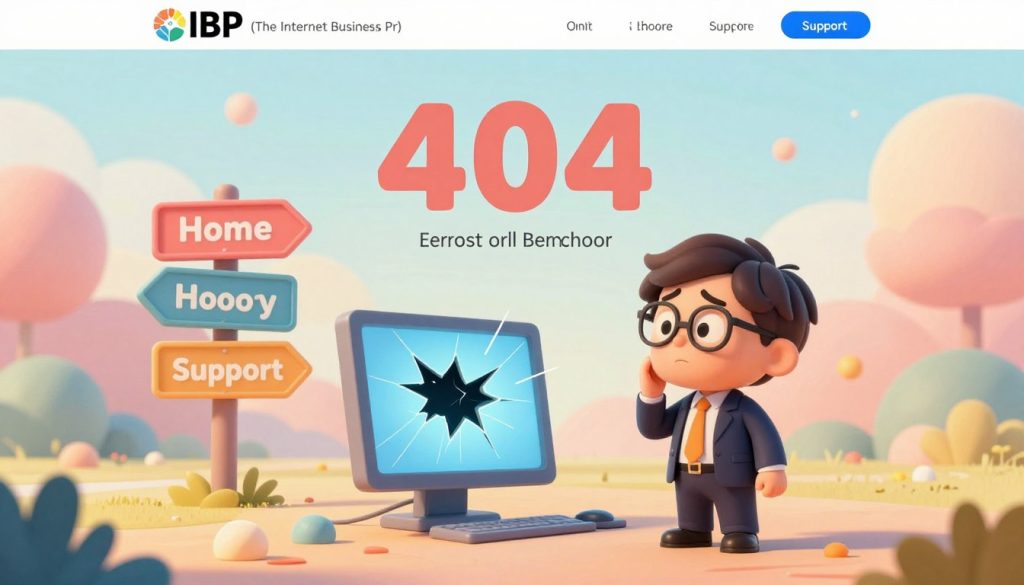
A well-designed 404 error page can transform a potentially negative experience into a positive interaction. When a user lands on a 404 page, it’s an opportunity to guide them back into your website’s ecosystem.
Elements of an Effective 404 Page
An effective 404 error page should include several key elements to enhance user experience. First, it should clearly communicate that an error has occurred. Use a friendly, apologetic tone to acknowledge the issue.
- A clear and concise error message
- A search bar to help users find what they’re looking for
- Links to popular or relevant pages on your site
- A call-to-action (CTA) to encourage further exploration
As Neil Patel, a renowned digital marketing expert, once said, “A 404 page is not just an error page; it’s a marketing opportunity.”
“The best 404 pages are those that are helpful and provide a good user experience.”
Turning Dead Ends into Opportunities
By incorporating the elements mentioned above, you can turn a dead end into an opportunity to engage your users further. For instance, providing a search bar or links to popular pages can help retain users.
| Feature | Benefit |
|---|---|
| Clear Error Message | Reduces user frustration |
| Search Bar | Helps users find relevant content |
| Links to Popular Pages | Guides users to other relevant areas of the site |
Regular website maintenance is crucial to minimize 404 errors by ensuring all links are valid and up-to-date. By doing so, you not only improve the user experience but also protect your site’s SEO rankings.
Building a Sustainable Website Maintenance Strategy
To keep your website thriving, a sustainable maintenance strategy is essential. This involves more than just fixing broken links; it’s about creating a routine that ensures your website remains healthy and relevant.
Monthly Link Health Checkups
Regular link health checkups are vital to identify and fix broken links before they harm your website’s SEO and user experience. Schedule monthly audits using reliable link checker tools to stay on top of your website’s link health.
Integrating Link Checks into Your Content Workflow
Link checks should be an integral part of your content creation process. When publishing new content, ensure that all links are valid and functional. This proactive approach prevents future link rot and maintains your website’s integrity.
Training Your Team on Link Building Strategy
Educating your team on the importance of link building and how to implement it effectively is crucial. Invest in training that covers best practices for link building and maintenance to enhance your website’s digital infrastructure reliability.
By implementing these strategies, you can ensure your website remains a valuable asset to your business, supporting your online presence and contributing to your overall digital success.
The IBP Solution: Professional Digital Infrastructure Reliability
Ensuring your website’s integrity is crucial, and The Internet Business Provider (IBP) provides the expertise needed for professional digital infrastructure reliability. In today’s digital landscape, a reliable online presence is not just an asset but a necessity for businesses aiming to thrive.
The Internet Business Provider (IBP) understands the complexities of maintaining a robust digital infrastructure. Their comprehensive suite of services is designed to monitor, maintain, and protect your digital assets around the clock.
Link Monitoring and Maintenance
The IBP employs advanced tools to monitor your website’s links, identifying and rectifying broken links before they impact your business. This proactive approach ensures that your website remains accessible and user-friendly.
As John Mueller, a Webmaster Trends Analyst at Google, once said, “A well-maintained website is crucial for search engine optimization.” This underscores the importance of regular link checks and maintenance.
“A well-maintained website is crucial for search engine optimization.”
Comprehensive Website Maintenance Services
IBP’s website maintenance services go beyond link monitoring. They offer a holistic approach that includes content updates, security checks, and performance optimization to ensure your website remains competitive.
| Service | Description | Benefits |
|---|---|---|
| Link Monitoring | Regular checks for broken links | Improved SEO, better user experience |
| Content Updates | Fresh and relevant content | Enhanced user engagement, improved search rankings |
| Security Checks | Proactive security measures | Protection against cyber threats, data integrity |
Protecting Your Digital Assets
With IBP’s around-the-clock monitoring, your digital assets are protected from potential threats. This includes not just link rot but also security vulnerabilities that could compromise your website.
By partnering with The Internet Business Provider, businesses can ensure their digital infrastructure is reliable, secure, and optimized for performance. This not only enhances user experience but also contributes to the overall success of the business.
Conclusion
Fixing broken links on your website is crucial for a seamless user experience and robust SEO optimization. Regular website maintenance is key to preventing the negative impacts of broken links, including lost sales, missed leads, and decreased search engine rankings.
By implementing strategies such as regular audits using link checker tools, setting up 301 redirects, and creating custom 404 error pages, you can significantly improve your website’s health. These steps help in maintaining a smooth user journey and protecting your SEO rankings.
For businesses looking to ensure their digital assets are always secure and functioning correctly, considering professional website maintenance services can be beneficial. Services like those offered by The Internet Business Provider can provide comprehensive monitoring and maintenance, safeguarding your online presence around the clock.
By prioritizing website maintenance and fix broken links on your website, you can ensure a strong online presence that supports your business goals and continues to attract and engage your target audience.