
Walk up to your business’s front door. Now, imagine chaining it shut for one out of every five people who try to enter. You would never do that in the physical world—yet an invisible wall on your digital site may be doing exactly that.
At The Internet Business Provider (IBP), we see smart brands losing sales not because their products fail, but because essential accessibility is missing. Small issues—missing alt text, poor color contrast, or broken keyboard navigation—block screen-reader users and many individuals with disabilities.
That barrier matters to your bottom line. Excluding 15–20% of potential visitors is like locking your front door to a steady stream of customers. Fixing content and interaction patterns is the first business step to win them back.
Key Takeaways
- Inaccessible design excludes a significant share of potential customers.
- Small fixes to content and images yield big gains in reach and revenue.
- Keyboard and screen-reader support must be a priority.
- Accessibility is both a moral and strategic business move.
- Start with simple audits to make sure your digital doors are open to all.
The Invisible Barrier: Why Your Website Might Be Excluding Customers
Invisible design flaws act like a locked door for users who rely on assistive tools. When key web content lacks clear text or image descriptions, people who use screen readers cannot complete tasks. That stops purchases and undermines trust.
Inaccessible pages often fail at basic interactions: forms that can’t be navigated with a keyboard, images without descriptive alt text, or buttons that do not announce their purpose. These gaps force users and individuals with disabilities to abandon tasks.
Missing simple features costs time and customers. Beyond moral duty, good web accessibility expands reach and reduces friction. States and some governments now set standards that raise the minimum level for public and commercial sites.
- Screen-reader users need meaningful text and labels.
- Unclear images and broken forms cause abandonment.
- Understanding diverse navigation is the first step to fix barriers.
| Barrier | Effect on Users | Business Impact |
|---|---|---|
| Missing alt text | Blind users miss image meaning | Lost conversions |
| Non-keyboard forms | Cannot complete purchases | Higher abandonment rates |
| Poor semantic text | Screen readers misread content | Poor user trust |
Understanding the True Cost of Non-Compliance
Every inaccessible element quietly nudges customers toward competitors who are easier to use. That loss shows up as immediate purchase abandonment and longer-term brand erosion.
Lost Revenue and Competitive Disadvantage
The “click-away pound/dollar” effect is simple: people hit a barrier and leave to buy from a rival. Even small issues in web content—missing labels, unclear images, or a broken form—translate into real lost sales.
Search engines reward clear structure and semantic text. Better headings and cleaner code improve rankings and make your site easier for users and search crawlers.
The Rise of Digital Accessibility Lawsuits
Legal risk has escalated. The Department of Justice reached agreements with Rite Aid and H&R Block after accessibility failures were found in their portals and coding for assistive tech.
“Organizations that ignore accessibility face financial and reputational damage.”
Small and mid-size organizations now face predatory suits and hefty defense costs. The true cost goes beyond legal fees to lost customers, reduced market share, and time spent repairing trust.
- Users leave fast and spend with accessible competitors.
- Governments and state actors are enforcing higher levels of access.
- Ignoring accessibility hands customers to rivals and risks costly litigation.
The Legal Landscape of Website ADA Compliance
When public programs move online, the same legal duties that apply in person follow them onto the internet.
The americans disabilities act reaches both public entities and private businesses: Title II covers state local governments and Title III applies to organizations open to the public.
The Department of Justice has held since 1996 that web content falls under this law. That position means governments and private entities must ensure digital accessibility so that communications with people disabilities are as effective as communications with others.
- State local governments must provide equal online access for programs and services.
- Organizations serving the public must offer full and equal enjoyment of goods and services.
- Compliance with technical standards and appropriate communication aids is required, not optional.
“The legal landscape is evolving, and the Department of Justice continues to use enforcement authority to ensure accessibility for everyone.”
Understanding the requirements and standards in this section is essential. Following them reduces legal risk and makes your digital offerings more usable for all people.
Identifying Common Digital Accessibility Barriers
Hidden flaws in visual design and navigation create real barriers for many users. Spotting these issues is the first step toward inclusive access. Below are the most frequent problems that block people from completing tasks online.
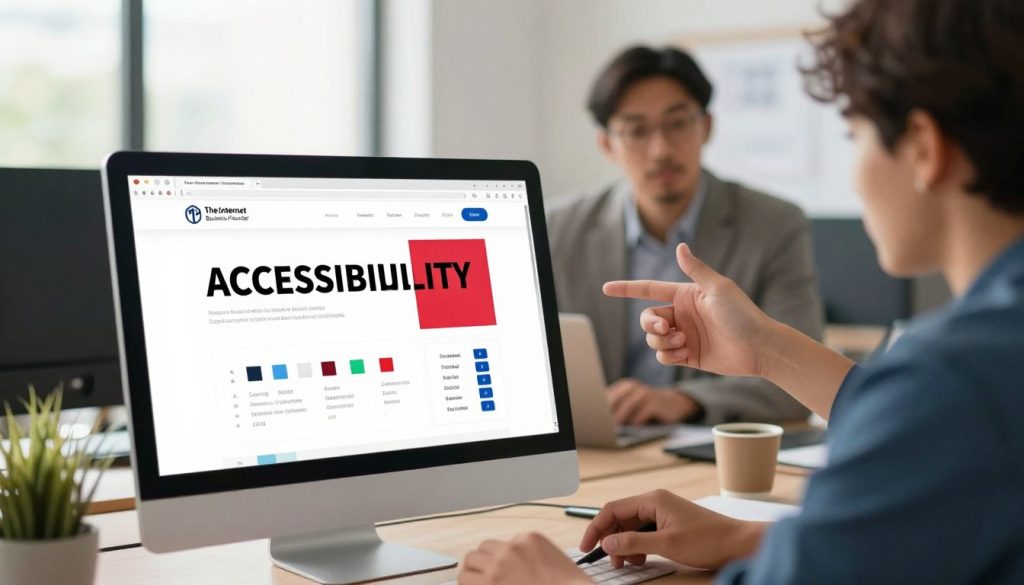
Visual Barriers and Color Contrast
Poor color contrast prevents people with limited vision or color blindness from reading text. When color is the only cue for meaning, information becomes invisible to some readers.
Missing alt text on images also removes context for blind users. Charts, photos, and icons must include descriptive text so every visitor can understand the content.
Keyboard Navigation Challenges
Many pages require a mouse to move through menus and controls. That creates a roadblock for users who rely on keyboard-only navigation.
State local services and other public digital programs should make web content operable by keyboard and equivalents for all users.
Inaccessible Online Forms
Forms often lack labels that screen readers can announce. That makes it hard for users to enter names, addresses, or payment details correctly.
“Fixing form labels and focus order removes a common barrier.”
- Mouse-only controls block many users.
- Color-only cues are not perceivable by all.
- Clear labels help people submit each form accurately.
Local governments and organizations must inventory these barriers in their audit process. Identifying problems helps teams prioritize fixes and improve overall accessibility and user trust.
Navigating the Web Content Accessibility Guidelines
A shared standard gives governments a concrete way to measure digital access.
The Web Content Accessibility Guidelines (WCAG) Version 2.1, Level AA, is the established technical standard for state local governments. WCAG was developed by the World Wide Web Consortium to set clear accessibility guidelines for web content.
Following the americans disabilities act, these accessibility guidelines ensure content is perceivable, operable, understandable, and robust for all users. Level AA addresses the most common barriers, like color contrast, meaningful text, and keyboard operability.
State and local government sites must meet these standards so residents can access news, forms, and services. Adhering to WCAG Level AA gives a clear framework to identify and remove obstacles that prevent people disabilities from participating in civic life.
“WCAG Level AA focuses remediation on the barriers that most often block real people from completing tasks.”
- Standards are technical, testable, and tied to legal requirements for many governments.
- Level AA covers key issues such as text alternatives, color, and operability.
- Using the guidelines helps agencies provide equitable access to their digital content and services.
| Requirement | What it fixes | Benefit to users |
|---|---|---|
| Text alternatives for images | Missing context for non-sighted users | People can understand visual content via screen readers |
| Contrast and color rules | Unreadable text for low-vision users | Improved legibility and access for more residents |
| Keyboard operability | Controls that need a mouse | Full navigation for keyboard-only users |
Essential Steps for Improving Your Site Accessibility
A predictable page outline makes content easier for people and assistive tools. Start with clear structure and simple controls so visitors can find what they need. These basic steps reduce friction and increase task completion.
Structuring Content with Proper Headings
Use logical, descending headings so screen readers and search crawlers can follow the page flow. Each section needs a clear title and short paragraphs that match user intent.
Include descriptive headings that reflect the section purpose. That improves content accessibility and helps state local governments meet technical standards.
Implementing Skip Navigation Features
Place a skip link at the top of each page so keyboard and screen-reader users can jump to main content. This small fix saves time and prevents repeated tab stops.
Also add meaningful alt text for icons, buttons, banners, and logos so non-text elements convert to speech or braille. Use high-contrast color schemes for state and local government pages to aid low-vision users.
- Follow content accessibility guidelines and current standards for text alternatives.
- Audit forms, headings, and navigation regularly to meet evolving requirements.
- Evaluate every site against the latest guidelines to improve content accessibility for all residents.
Managing Documents and Multimedia for Inclusive Access
Many public PDFs and videos remain unusable for people who rely on assistive tools. Managing documents and media correctly closes a common gap in digital access.
Best Practices for PDF Remediation
Tag and structure files so screen readers can navigate headings, lists, and tables. Proper tags make text selectable and searchable.
Convert image-based pages into readable text. Use OCR and add logical reading order to help people who are blind or have low vision.
Add descriptions and captions. Audio descriptions and text captions make multimedia useful for deaf and blind users. These elements also improve overall content accessibility.
“Remediated documents let residents access forms and benefits without extra help.”
- Ensure PDFs include readable text and tagged structure.
- Provide captions for audio and captions or transcripts for video.
- Prioritize commonly used documents from state local governments and local governments first.
| Item | Remediation Step | Benefit |
|---|---|---|
| PDF forms | Tag fields, add labels | Users can complete and submit electronically |
| Image-only documents | Run OCR and add alt text | Text becomes readable by assistive tech |
| Video and audio | Captions and audio descriptions | Accessible to deaf and blind people |
Addressing Third Party Content and Archived Materials
Third-party modules and archived records often create tricky gaps in access that require clear policy and owner responsibility.
State local governments must decide which archived web content is kept only for research or recordkeeping and may be exempt from WCAG 2.1 Level AA requirements. Even when an archive is exempt, agencies should offer reasonable modifications if a person with a disability requests access.
Most third-party tools posted by a state or local entity—calendars, scheduling systems, or payment portals—must meet accessibility standards. Content uploaded by a contractor on behalf of an organization generally falls under the same obligations as content the state publishes itself.

When third parties post material without a contractual arrangement, exceptions may apply. Still, governments should track ownership and remediation responsibility to reduce risk and serve people equitably.
- Archive exemptions are narrow; preserve access via alternatives when requested.
- Require vendors and contractors to deliver accessible content or offer remediation plans.
- Document which content qualifies for exceptions and why, so the state can show it met standards and requirements.
| Content Type | Typical Rule | Action for State Local |
|---|---|---|
| Archived records kept for law/research | May be exempt from Level AA | Provide alternatives on request; document exemption rationale |
| Third-party calendars/payment tools | Usually must meet accessibility standards | Contract clauses requiring remediation and testing |
| Content posted by vendors/contractors | Generally treated as state content | Hold vendors to standards; verify via audits |
Leveraging Assistive Technology for Better User Experiences
Screen readers, Braille displays, and voice tools reshape how people interact with online services.
Assistive technologies such as screen reader software, refreshable Braille displays, and voice recognition help people with disabilities access web content. When a site is coded to work with these tools, tasks become simple and fast.
State local governments must optimize their website and content so assistive tech can read headings, announce form fields, and describe images. Consistent structure and clear text improve success for users who rely on speech or Braille.
When a site is not designed for assistive tools, visual or motor impairments create real barriers. Organizations that align design with these technologies ensure equitable access to programs and services.
“Understanding how assistive technology interacts with your site helps you remove the barriers that inhibit access.”
- Train staff in how assistive tools consume text and controls.
- Keep navigation consistent so screen-reader users find information faster.
- Audit third-party modules to confirm they support assistive tech.
Commitment goes beyond basic ada checks. It means designing for people first and validating that state local government pages truly work for everyone.
Conclusion: Building a More Inclusive Digital Future
Every person deserves clear, usable online content that lets them access services without extra steps.
Building a more inclusive digital future means state local governments and local governments must commit to ongoing improvements. Follow the americans disabilities act and modern accessibility guidelines to shape web content that serves people fairly. Use web content accessibility best practices so text, images, and controls work for everyone.
Act now to make sure your websites welcome every visitor. The Department Justice continues to emphasize this priority and expects public entities to meet the required level of access. Small fixes reduce legal risk, improve user trust, and let people engage with government services with dignity.