You lock your business premises at night—but have you checked your website’s digital front door?
Imagine a customer ready to send an enquiry. A browser warning appears, and they pause before sharing their details. That moment can weaken trust, even when the page looks polished.
An SSL certificate helps protect the connection between a visitor’s browser and your web server. Modern sites use TLS, the newer standard, to enable HTTPS and encrypt data as it travels. That can include contact details, login information, and payment data. It protects the connection, though it cannot secure every part of a site on its own.
A valid certificate enables HTTPS. Google also treats HTTPS as a ranking signal, but it does not promise higher search placement. Think of it as one useful part of a wider security plan.
This guide from The Internet Business covers certificate selection, installation, renewal, and added safeguards. You’ll get practical steps to protect customer confidence and keep your site dependable over time.
Key Takeaways
- TLS enables HTTPS and encrypts data as it moves online.
- A secure connection helps protect details sent through contact forms.
- A valid certificate supports HTTPS, but does not secure every part of a site.
- Google uses HTTPS as a ranking signal, not a promise of higher rankings.
- Renewals and added safeguards help keep customer trust strong.
Your Website’s Digital Front Door: Secure Without Fearmongering
Think of an HTTPS connection as a well-fitted lock on your digital front door. It helps protect information as it moves between a visitor’s browser and your server, but it cannot prevent every problem. That is a practical way to view website security, without alarm.
When HTTPS is missing, browsers may label a page “Not Secure.” That warning can interrupt a small business customer who is ready to send an enquiry or log in. A valid ssl certificate helps make the site secure and supports a more confident visit.
“A secure connection protects the journey, not every part of the destination.”
The familiar padlock and HTTPS address can reassure people as they share data. They signal encryption in transit, not a guarantee that nothing can go wrong. Google also recognizes HTTPS as a ranking signal, though it does not promise higher placement.
For small businesses, steady maintenance is more useful than fear-based claims. Check domain and hosting settings, renew the ssl certificate on time, and ask a trusted support provider about gaps. These simple steps help build trust across web services.
What an SSL Certificate Does—and Why Websites Use TLS
The phrase “SSL certificate” remains common, but modern web connections use TLS, SSL’s newer successor. This digital credential helps a server prove its identity and set up an encrypted connection with a browser. You do not need to know the technical details to compare options.
How TLS Enables HTTPS and Encrypts Data in Transit
Once the connection starts, HTTPS uses TLS encryption to scramble data as it travels between a browser and a server. This helps keep passwords, contact-form messages, payment details, and session cookies from being read in transit. The domain name on the credential helps identify the server, while validation checks vary by type.
“TLS protects information on its journey between a visitor and a server.”
That protection applies to the connection, not every part of a website. Keep software current, and ask your hosting provider about setup support. A small business can then weigh coverage and validation without studying cryptographic methods.
| Term | Plain meaning | Role |
|---|---|---|
| SSL | Familiar industry label | Common name used when comparing options |
| TLS | Modern connection protocol | Enables HTTPS encryption between browser and server |
How a Secure Connection Builds Customer Confidence
A customer may reach the last step of a business enquiry, then see an expired warning. The browser may flag an expired credential or another connection problem. The person may pause rather than send the form, and even a brief interruption can weaken trust.
When an Expiry Warning Interrupts an Enquiry
Contact forms may ask only for a name, email address, phone number, or project details. Yet people still want confidence that their data will travel through a protected connection.
A working HTTPS session uses encryption and helps create a smoother path to submit an enquiry, log in, or book through an appointment system. Keeping an SSL certificate valid helps prevent avoidable browser warnings.
It supports smooth visits across a small business website, especially when customers need reliable access. A padlock signals an encrypted connection; it does not prove that the organization itself deserves trust. Routine renewal and clear support help deliver the professional experience customers expect. Broader security steps still matter.
What HTTPS Protects—and What It Cannot Guarantee
HTTPS encrypts data as it moves between a visitor’s browser and a web server. An SSL certificate helps protect that trip, making it harder for others to read information in transit.
Still, encryption cannot confirm every claim a company makes or prove that its owners deserve trust. It also cannot stop every attack, fix outdated software, or prevent weak passwords. An SSL certificate alone does not make a site PCI DSS compliant; that standard requires broader controls.
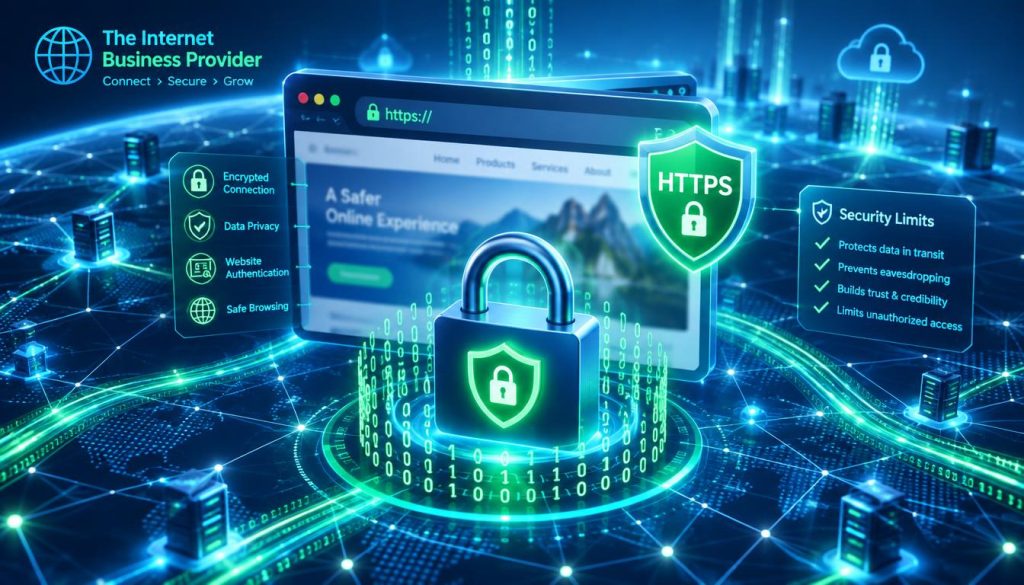
Treat HTTPS as one layer in a wider security plan. Add firewall rules, malware scans, secure cookies, security headers, HSTS, and server hardening. Each measure addresses different risks, so no single tool can cover them all.
| Protection layer | What it helps do | What it cannot do alone |
|---|---|---|
| HTTPS encryption | Protect data in transit | Verify company claims |
| PCI DSS controls | Support payment data safeguards | Be replaced by HTTPS alone |
| Added security measures | Address access, malware, and server risks | Guarantee zero attacks |
How to Choose an SSL Certificate for Business Website Needs
Start with your site’s structure, then match coverage and identity checks to how people use it. A small business with an online store, client portal, or several domains should confirm that its hosting setup supports each option.
Domain, organization, and extended validation explained
Domain validation (DV) confirms control of a domain. Organization validation (OV) also checks the named organization, while extended validation (EV) uses more extensive identity vetting. These levels describe identity checks; they do not promise stronger encryption.
“Choose coverage that fits your site, and validation that fits your needs.”
Single-domain, wildcard, and multi-domain coverage
A single-domain option covers one domain. Wildcard coverage can include its main domain and subdomains; multi-domain options can cover separate domains. Before you choose an SSL certificate, compare compatibility, renewal tools, validation steps, and technical support. Ask providers about issuance time and any warranty terms.
| Option | Typical coverage | Check before purchase |
|---|---|---|
| Single-domain | One domain | Confirm the exact domain name |
| Wildcard | Main domain and subdomains | Confirm subdomain support |
| Multi-domain | Several separate domains | Review domain limits and renewal tools |
Free and Paid SSL Certificates: Which Option Fits Your Business?
Price matters, but so do daily upkeep and the level of identity checks you need. Many small firms can use a no-cost option, while others may value hands-on help or added documentation.
When free options work well
Let’s Encrypt issues widely used, free domain validation (DV) certificates. They can suit a small business site that needs basic encryption and routine renewal. Wix includes a free certificate with its sites and handles installation and renewal through its managed web hosting.
When paid services may add value
Paid plans may suit organizations that need organization validation (OV), extended validation (EV), procurement records, or direct provider support. Sectigo lists plans starting at $110 per year, while SSL.com lists options starting at $36.75 per year. Prices may change, so check current terms and warranty details before you buy.
“The right choice is the one your team can maintain with confidence.”
Professional support can help with setup, monitoring, and maintenance. Compare those services, renewal tools, and response times—not price alone. A well-managed no-cost plan may be the best fit; paid help can bring peace of mind when internal time or technical skills are limited.
Certificate Installation, HTTPS Redirects, and Mixed Content
A successful HTTPS launch depends on more than adding a file to a server. Complete domain validation, then install the SSL certificate and intermediate files on the web server, load balancer, or web hosting control panel. Keep the matching private key secure.
- Enable HTTPS in your hosting settings.
- Test the secure address and key pages.
- Redirect HTTP traffic to HTTPS once setup works.
Next, review each page for mixed content. This happens when a secure page loads images, scripts, CSS, fonts, or plugins through an insecure connection. Update those asset links so the page uses HTTPS throughout. This helps protect data and prevents browser warnings.
“A careful launch turns secure settings into a smoother visit.”
A migration or CDN change can reveal setup gaps, especially with wildcard coverage or multiple domains. A small business should check each domain, test forms, and confirm every page resource loads as expected.
| Check | What to confirm | Why it matters |
|---|---|---|
| Installation | Credential and intermediate files match | Supports a valid secure connection |
| Redirects | HTTP pages lead to HTTPS | Sends visitors to the secure version |
| Page assets | Images, scripts, and fonts use HTTPS | Helps prevent mixed-content warnings |
Automated Renewals and Certificate Monitoring
A renewal calendar or automated process keeps upkeep from relying on memory. Let’s Encrypt certificates commonly renew every 90 days, so automation can help prevent missed dates. Confirm that each SSL certificate renews as expected.
An expired cert can trigger a browser warning and disrupt a customer visit. Expiration monitoring gives your team time to act before people lose access to the website.
Preventing Expiry Warnings and Avoidable Disruptions
Track credentials across the main website, customer portals, and other services. One reminder may miss a separate domain or service. A shared inventory gives staff a clear view of upcoming renewals.
- Retest HTTPS after a migration, DNS update, or CDN change. Infrastructure work can cause renewal incidents.
- A small business should confirm automation works and assign someone to respond if renewal fails. Ask hosting support about alerts and recovery steps.

| Check | Action | Benefit |
| Renewal schedule | Verify automated renewals | Fewer missed dates |
| Expiration alerts | Review notices promptly | Time to resolve issues |
| Infrastructure changes | Retest HTTPS afterward | Catch service disruptions |
Broader Website Safeguards Beyond SSL
HTTPS works best as one layer in a broader protection plan. An ssl certificate guards data in transit, while other controls help protect accounts, software, and stored files.
Keep Software Current and Limit Account Access
Install software updates promptly to address known flaws. Use multifactor authentication and limit access to staff who need it. These steps can reduce risk if a password falls into the wrong hands. Store the private key securely, too.
Pair HTTPS with security headers, HSTS, secure cookies, firewall rules, malware scanning, and server hardening. Each safeguard fills a different gap; none replaces the others.
Keep Backups and Test Recovery
Keep backups in a separate, protected location, then test a restore. A backup only helps if your team can recover files and services within a useful time. Review access whenever roles change.
An ssl certificate does not establish PCI DSS compliance or guarantee recovery. Businesses still need routine checks, clear ownership, and reliable hosting support. For a small business, a simple review schedule can keep these tasks on track and strengthen online security.
How IBP Support Helps Configure and Maintain Website Security
There is no single best SSL certificate for every setup. IBP helps a small business compare coverage, validation, and hosting needs before making a choice. Clear advice can help teams understand options without promising complete protection.
Our support can coordinate installation and check that HTTPS works across key pages. We can also review domain coverage, including wildcard needs, and explain how encryption protects data in transit. These steps support trust, but they do not remove every risk.
Providers offer different levels of help. Wix includes a free SSL certificate with its sites and advertises 24/7 support. GoDaddy’s Managed SSL Service offers automated installation and ongoing maintenance. DigiCert’s founding role in the CA/Browser Forum shows how industry groups help shape certificate standards and browser security practices.
Need practical guidance? Talk with The Internet Business about protection that fits your site, services, and goals. We’ll help you weigh choices and plan sensible next steps, without making absolute security claims.
| Support area | What to review | Potential benefit |
|---|---|---|
| Coverage | Domain and wildcard needs | Better fit with site structure |
| Setup | Installation and HTTPS checks | Fewer configuration gaps |
| Maintenance | Renewal tasks and provider help | Clearer ongoing ownership |
Conclusion
Strong protection starts with clear choices, not promises. A correctly installed TLS certificate enables HTTPS and encrypts data as it moves between a visitor’s browser and a business server. It cannot prove an organization deserves trust or replace software updates, multifactor authentication, limited access, and tested backups.
Let’s Encrypt’s free ssl option may suit many sites. Coverage, validation, hosting needs, support, and warranty terms can shape the best ssl certificate choice. Compare any warranty and confirm the option fits your services.
Install carefully, redirect HTTP traffic, fix mixed content, and monitor renewals to reduce avoidable warnings. These routine steps help keep customer visits smooth.
Talk with The Internet Business about protection that fits your goals. IBP offers practical guidance without claims of absolute security. Choose a plan your team can maintain.