
Imagine stepping into a high-end retail shop, ready to explore beautiful displays. Suddenly, you find yourself pushed into a dark, empty storage closet. This jarring experience mirrors what happens when visitors encounter a dead link or a generic 404 error on a site. Each broken link transforms a vibrant digital storefront into a ghost town, causing frustration and lost trust.
As internal links snap and outdated pages vanish without redirects, users are left stranded. The consequences are severe: spiking bounce rates, diminished time spent on the site, and search engines beginning to ignore the domain. This phenomenon, often referred to as “link rot,” highlights the need for regular maintenance to preserve a site’s integrity.
Addressing these issues is crucial. It’s not just a technical task; it’s vital for maintaining SEO rankings and user satisfaction. In this guide, we will explore the reasons behind these dead ends, their impact on search performance, and a step-by-step framework to audit and protect your site from future decay. With tools like IBP (The Internet Business Provider), you can efficiently tackle these challenges.
Understanding Broken Links and Their Impact
Imagine wandering through a beautiful garden, only to find some paths leading to dead ends. This experience mirrors what happens when users encounter broken links on a site. A broken link is a hyperlink that no longer functions or directs users to the intended content. Instead of leading to a webpage or resource, clicking on a broken link results in an error message, most commonly a 404 error.
These dead ends can arise from various factors, including changes in URLs, content removal, typographical errors, or server issues. Each broken link disrupts the seamless navigation that users expect. When visitors face these frustrations, their confidence in the site’s reliability diminishes. Ultimately, they may seek information or services from competitors with more polished, error-free experiences.
Moreover, the presence of broken links significantly impacts SEO. Search engines like Google assess a site’s overall health and relevance based on the presence of broken links. A high volume of crawl errors can lead to diminished rankings and potential indexing issues for important pages.
Common HTTP error codes associated with broken links include:
- 404 – Not Found: This indicates that the requested page or resource is missing or mistyped.
- 403 – Forbidden: The server refuses access, often due to permission issues.
- 500 – Internal Server Error: This signals a server-side problem affecting the request.
- 410 – Gone: Similar to 404, but indicates intentional removal of content.
- 301 – Moved Permanently: This is a redirect indicating a permanent move, not an error.
Understanding these error codes is essential for diagnosing and addressing broken links effectively. Regular monitoring for these errors is a non-negotiable component of professional site management. When search engine bots encounter dead ends, they may reduce the frequency and depth of future crawls, leaving valuable new content undiscovered.
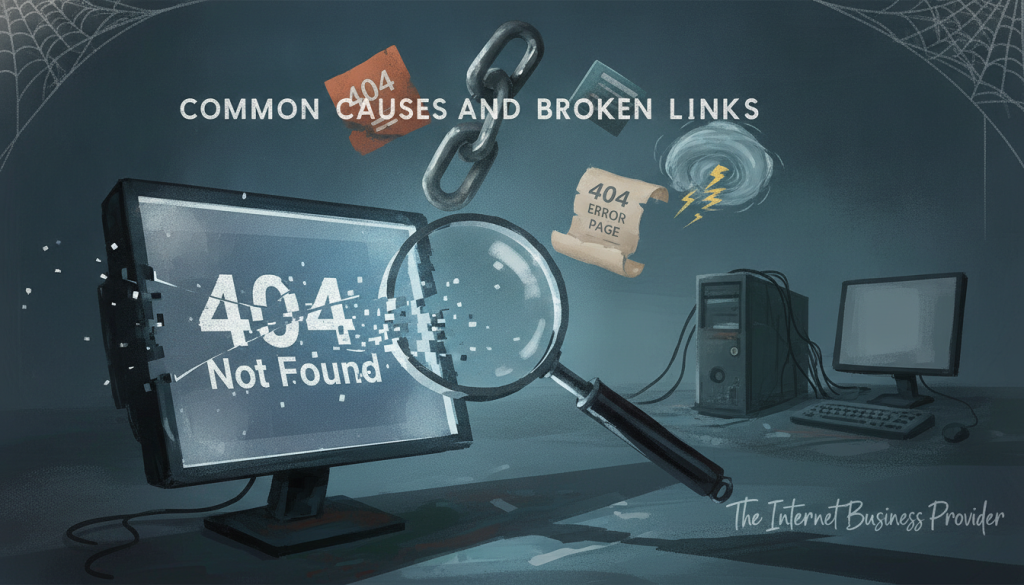
Common Causes of Broken Links
Picture a bustling city street, where every turn reveals new shops, yet some are mysteriously closed. This scenario reflects the reality of encountering broken links on a site. Understanding the reasons behind these dead ends is essential for maintaining a healthy online presence.
Content Removal or URL Changes
One of the most straightforward causes of broken links occurs when a webpage or resource is deleted. This can happen intentionally during a content audit or accidentally. Any internal or external links pointing to that now-missing content become dead ends for users and search engines alike.
Typographical Errors and Incorrectly Formatted URLs
Another common issue arises from typographical errors. Simple misspellings, missing slashes, or omitted prefixes like “http://” can lead to broken links. Such mistakes can frustrate users who expect to access valid content.
Server Issues and Expired Domains
Server problems can also contribute to broken links. Temporary or permanent server downtime can render a webpage inaccessible, even if the content still exists. Additionally, if a domain registration lapses, all links pointing to that old domain become broken overnight.
Changes in Website Structure and CMS Dynamics
Modern content management systems (CMS) like WordPress and Joomla can exacerbate the issue. When site structure changes occur, such as reorganization of folders, links may break if not updated. These systems may replicate the same internal broken links across numerous pages, multiplying the impact.
Issues with External Links and Outbound Resources
External links pose unique challenges. Website owners have no control over third-party sites that may change their page names, delete content, or experience server outages. Such changes can turn previously functional outbound links into broken links, requiring constant vigilance to monitor.
Understanding these diverse causes helps website owners recognize that broken links are often a natural byproduct of growth and evolution rather than negligence. However, proactive monitoring and maintenance are essential to prevent link rot from accumulating over time.
While internal broken links are within the owner’s control to manage, external broken links require a different strategy. Regular automated checks and timely updates are vital for comprehensive link management.
How to Identify Broken Links on Your Website
Visualize navigating a vast library, where each book represents a unique web page, but some shelves are eerily empty. This scenario reflects the experience of encountering broken links on a site. Identifying these dead ends is crucial for maintaining a vibrant online presence. Fortunately, there are numerous methods and tools available to help you check broken links effectively.
Using Online Broken Link Checker Tools
One of the most accessible ways to find broken links is through online checkers. Tools like Google Search Console provide a “Coverage” report that identifies crawl errors, including broken links. Another reliable option is the W3C Link Checker, which validates links on individual pages or entire sites.
Additionally, a standout free online link checker tool has been recognized by WebHostingSearch.com. This tool not only detects broken links but also highlights their exact location within your HTML code. This feature allows webmasters to quickly locate and address issues without sifting through extensive code.
Leverage Browser Extensions and Command Line Tools
For those who prefer quick checks, browser extensions like Check My Links for Google Chrome can be invaluable. This extension highlights broken links directly on the page and provides immediate HTTP status code information. It’s perfect for quick audits and spot-checking.
For more technical users, command line tools such as wget and curl can be utilized. Using wget with the –spider option simulates a web spider, allowing you to crawl an entire site and check every link systematically.
CMS Plugins and Dedicated Site Crawlers
If you’re using a content management system (CMS) like WordPress, plugins such as Broken Link Checker can automatically monitor your site for broken links. This integrated solution requires minimal technical knowledge and can be set to run regular automated scans.
Dedicated site crawlers like Screaming Frog SEO Spider and Xenu’s Link Sleuth offer comprehensive analysis. These professional-grade tools provide detailed reports on broken links, redirects, and other technical SEO issues, making them essential for serious webmasters.
Manual Inspection and Regular Monitoring
While automated tools are effective, manual inspection is equally important. Regular monitoring allows you to catch contextual issues, verify redirect destinations, and ensure a coherent user experience. New broken links can appear at any time due to content changes and external resource updates.
In conclusion, the ecosystem for finding broken links is robust and accessible. From free online checkers to premium solutions, there’s a tool for every need. Regular monitoring and maintenance are essential to keep your digital presence thriving.

Step-by-Step Guide to Fixing Broken Links on Website
Envision a vibrant marketplace bustling with energy, where each stall offers unique treasures, yet some stalls stand abandoned. Fixing broken links is a systematic process that becomes easier and more intuitive with practice. Website owners have complete control over internal links, making repairs a manageable and high-impact SEO activity.
Checking for Typos and Immediate Corrections
The first and simplest fix involves checking for typographical errors in the URL of the broken link. Surprisingly, many broken links stem from simple misspellings, missing characters, or incorrect path specifications. Once identified through link checker tools, these errors can be corrected in seconds.
Recreating Missing Pages When Appropriate
The second approach is to recreate missing pages when it makes sense. This method is the best solution for fixing broken links from an SEO perspective, especially if the missing page has valuable backlinks. However, this may not be feasible for pages representing discontinued products or outdated content.
Implementing 301 Redirects to Relevant Alternatives
The third and most recommended method is implementing 301 redirects. Google specifically endorses this approach as it preserves link equity and keeps the “link juice” flowing. Redirect users to relevant alternative content instead of leaving them stranded at a dead end.
When implementing redirects, aim to connect to the most topically relevant page, such as a related blog post or category page. Redirecting to the home page should only be a last resort when no suitable alternatives exist.
Removing Broken Links When Necessary
Sometimes, simply deleting the broken link is the best option, especially if it is not crucial to navigation or user experience. While this is the easiest method, it comes with the downside of losing opportunities to increase page views and pass link equity.
Utilizing Relative Paths for Internal Linking Stability
Using relative paths for internal linking enhances stability. Relative paths specify a link’s destination relative to the current page’s location, making them less prone to breaking when content is moved or site structure evolves. This practice is a smart preventative measure during content creation.
Customizing 404 Pages to Improve User Navigation
Finally, customizing the 404 error page serves as a safety net for any broken links that slip through. A well-designed custom 404 page can transform a frustrating dead end into a helpful navigation hub. It should offer search functionality, links to popular content, and clear pathways back to the main site.
A custom 404 page enhances user experience by acknowledging the error in a friendly manner and providing immediate alternatives. This encourages users to stay on the site rather than bouncing away, mitigating the negative impact of broken links on engagement metrics and SEO performance.
In conclusion, fixing broken links is not a one-time task but an ongoing maintenance discipline. Combining these repair methods with regular monitoring creates a robust defense against the gradual accumulation of link rot that can silently erode search engine rankings and user trust over time.
Best Practices to Prevent Broken Links and Protect Your Site
Consider a lively concert where every note harmonizes perfectly, yet some instruments fall silent. Just like a well-orchestrated performance, a website thrives on consistency and structure. By implementing proactive strategies, you can prevent broken links from disrupting the user experience and impacting your SEO rankings.
Establishing Uniform URL Naming and Content Policies
One of the foundational steps is to establish uniform URL naming conventions. Consistent and predictable URL structures minimize typographical errors. This practice not only simplifies management but also enhances user experience.
Moreover, clear content policies help maintain a cohesive site architecture. By regularly reviewing and updating your content, you can ensure that outdated pages are removed or redirected appropriately.
Scheduling Regular Link Audits and Using Automated Tools
Scheduling regular link audits is essential. Utilize automated tools to perform these checks systematically. Whether weekly, monthly, or quarterly, these audits can catch broken links before they accumulate.
The process of checking for broken links is straightforward. Websites that frequently upload new content should prioritize these audits to prevent issues from slipping through the cracks.
Monitoring User Behavior and Analytics Insights
Monitoring user behavior provides valuable insights into potential problems. Sudden drops in page views or increased bounce rates can indicate that users are encountering broken links.
Utilizing analytics tools allows you to identify high-traffic pages that may have issues. This data can guide your prioritization for fixes, ensuring that you address the most critical problems first.
Maintaining External Link Health and Updates
External links present unique challenges. While you cannot control third-party sites, regular sanity tests can verify that these links remain functional. This proactive approach helps maintain your site’s credibility.
Implement a policy for reviewing and updating external links in your blog posts and resource pages. This is especially important for older content that may contain outdated references.
In conclusion, shifting focus from reactive fixes to proactive prevention is key. By establishing uniform URL policies, scheduling audits, monitoring analytics, and maintaining external link health, you can create a robust framework. This approach not only protects your SEO rankings but also enhances the overall user experience.
Conclusion
Imagine walking through a grand art gallery, where every piece tells a story, yet some frames are empty. This reflects the impact of broken links on your site. They frustrate visitors and diminish trust. Fortunately, these issues are manageable.
Effective management relies on three pillars: regular monitoring, prompt corrections, and proactive prevention. Use various tools to identify issues, and address them through typo corrections, 301 redirects, or removing outdated content. Establish uniform URL policies and conduct scheduled audits to keep your links healthy.
Remember, a well-maintained link structure enhances user experience and boosts SEO performance. As you become familiar with these practices, you’ll find managing links becomes easier and more intuitive. With consistent effort, your site can thrive and avoid becoming a digital ghost town.